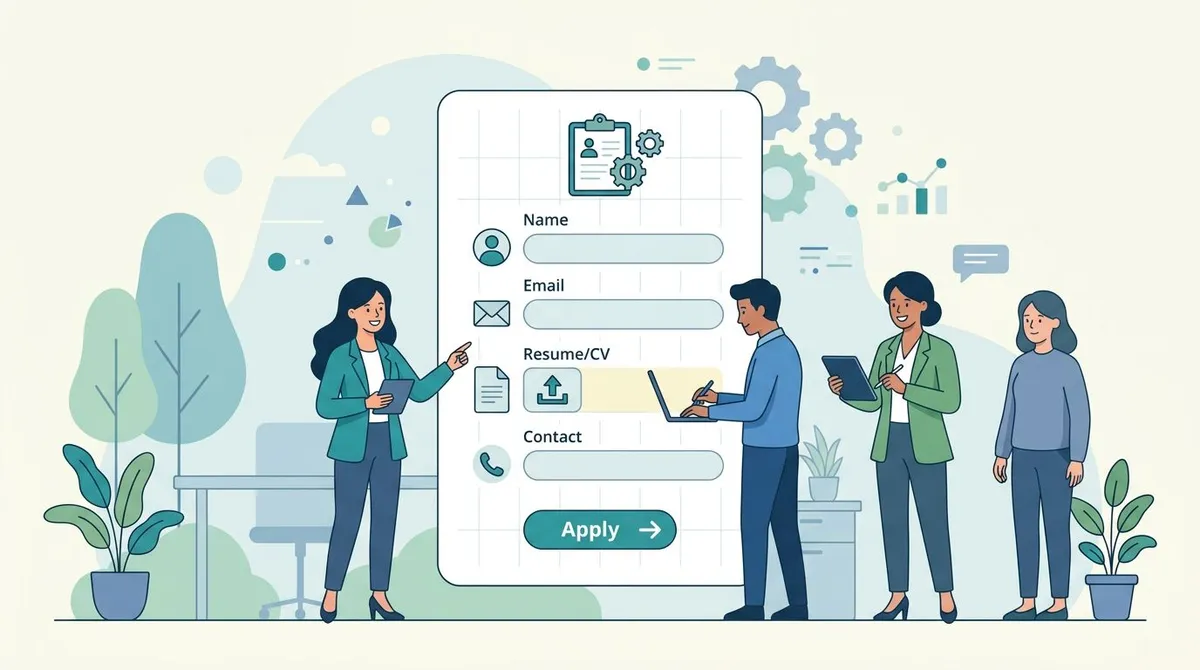
A job application template is a standardized form that collects essential candidate information before interviews begin. Unlike resumes, which candidates fully control, application forms let you gather consistent, comparable data from every applicant. This structure improves screening accuracy and supports legal compliance throughout the hiring process.
For growing teams without a dedicated HR department, a well-designed application form creates a professional first impression while saving hours of back-and-forth during screening. When paired with a clear hiring process, application templates become the foundation of repeatable, scalable recruiting. Below, you will find three ready-to-use templates along with guidance on customization, compliance, and best practices for small teams.
What Is a Job Application Form?
A job application form is a document — digital or paper — that employers use to collect structured information from candidates during the hiring process. While resumes provide a candidate's self-curated career narrative, application forms ensure every applicant answers the same questions in the same format. This consistency is what makes application forms so valuable during high-volume hiring.
The distinction matters because resumes vary wildly in format, length, and content. One candidate might list every job since college while another focuses only on the last three years. Application forms eliminate this inconsistency by defining exactly what information you need.
Application forms also serve a critical legal function. By asking every candidate identical questions, you create documentation that supports fair hiring practices and protects your company from discrimination claims. The EEOC's guidance for small businesses emphasizes that standardized processes are one of the most effective ways to demonstrate compliant hiring.
Most modern hiring workflows use application forms alongside resumes rather than choosing one over the other. The application captures structured data for screening and compliance, while the resume provides narrative context for deeper evaluation. If you are building your hiring infrastructure from scratch, start with a solid job description and pair it with one of the templates below.

Standard Job Application Template
This comprehensive template works for most full-time professional positions. It covers all the essential sections that hiring managers need for thorough screening while staying concise enough that candidates will actually complete it. Copy these sections into your preferred form builder or document editor and adjust the fields for your specific roles.
The standard template balances thoroughness with candidate experience. Research from the Society for Human Resource Management (SHRM) shows that application forms exceeding 15 minutes of completion time see significant abandonment rates, so this template targets the 8-to-12-minute range.
Company Name — Job Application
Position: ___________________ Department: ___________________ Date: ___________________
Personal Information
Full Name: ___________________ Email Address: ___________________ Phone Number: ___________________ Current Address: ___________________
Are you eligible to work in [Country]? ☐ Yes ☐ No Will you now or in the future require sponsorship? ☐ Yes ☐ No
Position Details
Desired Salary Range: $ _____ to $ _____ Earliest Start Date: ___________________ Available for: ☐ Full-time ☐ Part-time ☐ Contract ☐ Remote ☐ Hybrid
How did you hear about this position? ☐ Company website ☐ Job board ☐ Referral ☐ Social media ☐ Other: _________
Employment History
Most Recent Position: Company: ___________________ | Title: ___________________ Dates: _______ to _______ | Reason for Leaving: ___________________
Previous Position: Company: ___________________ | Title: ___________________ Dates: _______ to _______ | Reason for Leaving: ___________________
May we contact your current employer? ☐ Yes ☐ No
Education
Highest Level: ☐ High School ☐ Associates ☐ Bachelor's ☐ Master's ☐ Doctorate School: ___________________ | Degree/Major: ___________________
References
Reference 1: ___________________ | Relationship: ___________________ | Phone: ___________________ Reference 2: ___________________ | Relationship: ___________________ | Phone: ___________________
Acknowledgment
I certify that the information provided is true and complete. I understand that any false information may lead to rejection of my application or termination if employed.
Signature: ___________________ Date: ___________
Notice that the standard template includes a source-tracking question near the top. This single checkbox field provides invaluable data about which recruitment channels deliver the best candidates. After six months of collecting this data, you will know exactly where to invest your job posting budget and which channels to drop.
Simplified Job Application Template
Not every role needs a comprehensive application. For hourly positions, seasonal hiring, or roles where speed matters more than detailed screening, a shorter form reduces friction and increases completion rates. A 30-person retail chain in Denver tested both long and short application forms and found that the simplified version generated 3x more completed applications without reducing hire quality.
This template focuses on the bare minimum information needed to make an initial screening decision. You can always request additional details from candidates who advance past the first round.
Quick Application — [Position Title]
Name: ___________________ | Email: ___________________ | Phone: ___________________
Eligible to work in [Country]? ☐ Yes ☐ No
Most Recent Job: ___________________ at ___________________ (_______ to _______)
Why this role? (2-3 sentences) ___________________
Available to start: ___________________ | Salary expectations: $ _____ to $ _____
Resume attached: ☐ Yes ☐ No
The simplified template works best when combined with a strong job description template that sets clear expectations before candidates apply. When the job posting does the heavy lifting of explaining requirements, the application form can stay lean without sacrificing screening quality.
Internal Job Application Template
Internal mobility is one of the most overlooked retention strategies for small teams. When employees see a path to grow within the company, they are far less likely to look elsewhere. An internal application template formalizes this process and ensures current employees get fair consideration alongside external candidates.
The key difference between internal and external applications is context. You already know the employee's work history and performance record, so the internal template focuses instead on motivation, transferable skills, and transition logistics. This saves everyone time while capturing the information hiring managers actually need to evaluate internal transfers.
Internal Position Application
Employee Name: ___________________ | Current Position: ___________________ Department: ___________________ | Hire Date: ___________________
Position Applied For: ___________________ | Application Date: ___________________
Why are you interested in this position? ___________________
What skills from your current role transfer to this position? ___________________
Key accomplishments in current role:
Proposed transition timeline: ___________________
Current Supervisor Approval: ___________________ Date: _______
Companies that implement formal internal application processes see 41% higher retention rates according to LinkedIn's Workplace Learning Report. The structure signals to employees that career growth is not just encouraged but operationalized. Pair this template with regular performance reviews that identify employees ready for new challenges.
What to Include in a Job Application Form
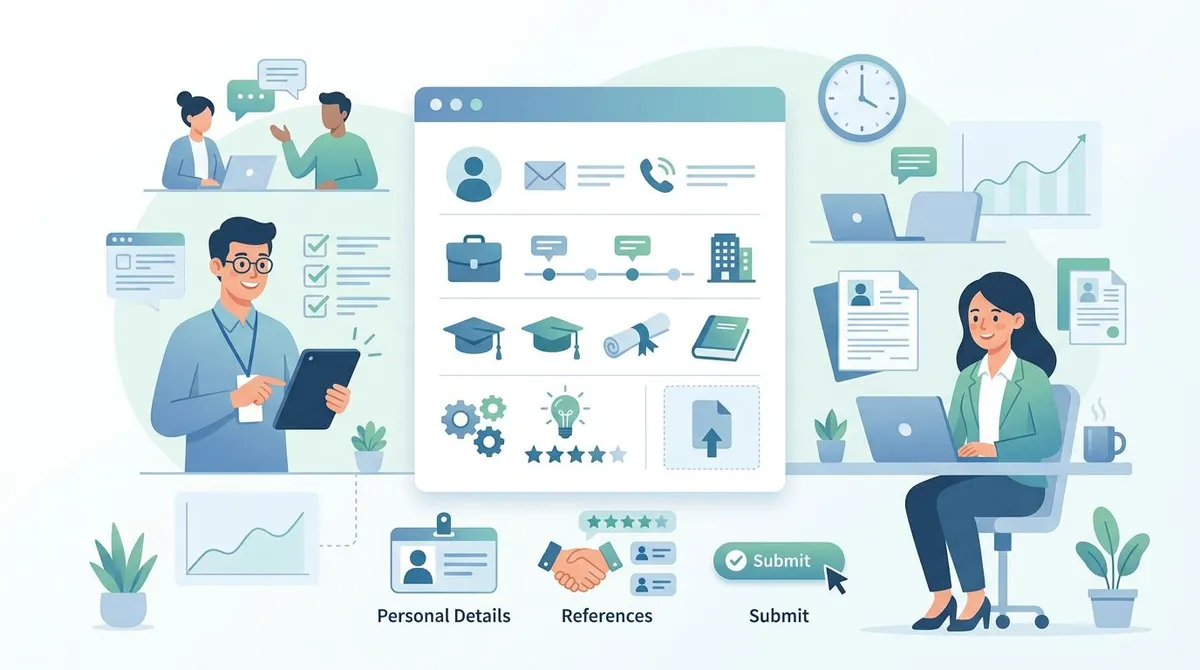
Every effective job application must balance information gathering with candidate experience. Ask too many questions and applicants abandon the form. Ask too few and you lack the data needed for meaningful screening. The sections below outline what belongs in every application and what to add for specific roles.
Essential Fields for Every Role
Contact details are non-negotiable: full name, email, and phone number. Skip unnecessary fields like middle name or a detailed mailing address unless the role requires physical correspondence or background checks that need it.
Work authorization must appear on every application. This single question protects your company legally and prevents wasted interview time. Always ask about both current eligibility and future sponsorship needs.
Position information prevents confusion when candidates apply to multiple openings. Include the specific role title, desired salary range, and start date availability. These three fields alone can screen out mismatched candidates before you read a single resume.
Employment history should match the seniority of the role. For senior positions, request three to five years of relevant history. For entry-level roles, one or two previous positions suffice. Asking a recent graduate for ten years of work history signals that your process is not tailored to the role.
Role-Specific Additions
| Role Type | Additional Fields |
|---|---|
| Technical | Programming languages, GitHub/portfolio links, certifications |
| Sales | Quota achievement history, CRM experience, territory preference |
| Customer Service | Language abilities, shift availability, conflict resolution examples |
| Management | Team size managed, budget responsibility, leadership philosophy |
| Remote | Time zone, home office setup, remote work experience |
Optional but Valuable
Source tracking reveals which recruitment channels perform best. Use simple checkboxes: company website, job board, referral, social media, other. After a few months of data, you will know exactly which channels to invest in.
Screening questions can replace the traditional cover letter. Instead of asking candidates to write an open-ended letter, pose two or three specific questions that reveal relevant experience and motivation. This approach generates more useful information while requiring less candidate effort.
Job Application Form vs Resume: When to Use Each
The decision between application forms and resumes depends on the role, the volume of applicants, and your screening process. Most successful hiring teams use both, but understanding when to emphasize each format improves efficiency.
Application forms excel in high-volume hiring because they force consistency. When you receive 200 applications for a customer service position, comparing free-form resumes is impractical. Structured application data can be quickly sorted, filtered, and scored against your criteria.
Resumes shine for senior and creative roles where candidates need room to showcase unique experience, portfolio work, and career narratives that do not fit neatly into form fields. A VP of Engineering's career cannot be captured in a five-field application, but the same application structure works perfectly for screening warehouse associates.
The most effective approach for growing teams combines both formats. Use the application form for initial screening and compliance documentation, then review attached resumes for candidates who pass the first filter. An applicant tracking system automates this workflow by parsing application data while storing resumes alongside candidate records.
A 45-person marketing agency in Austin reported cutting initial screening time by 60% after implementing structured applications while maintaining the same quality of hires. The key insight was that the application form handled objective screening (eligibility, availability, salary alignment) while the resume informed subjective evaluation (quality of experience, career trajectory).

Legal Considerations for Job Applications
Job applications are legal documents. Every question you ask creates potential liability, so understanding what you can and cannot include is essential for protecting your company from discrimination claims.
Safe Questions
Contact information, work authorization, relevant education and experience, professional references, salary expectations, start date availability, and source attribution are all permissible. These questions relate directly to job qualifications and logistics.
Questions to Avoid
Age or birthdate should never appear on an application unless you need to verify minimum age requirements for the position. Even then, ask "Are you at least 18 years old?" rather than requesting a birthdate.
Marital status, family plans, and pregnancy are strictly off-limits. Questions about childcare arrangements, spouse employment, or plans to have children violate federal anti-discrimination law and expose your company to significant liability.
Religion, race, ethnicity, and political beliefs have no place on applications. Work authorization questions suffice for citizenship-related requirements.
Disability and health conditions cannot be asked about before a conditional job offer. You may describe the physical requirements of the role and ask whether the candidate can perform them, but you cannot ask about specific conditions.
State-Specific Considerations
Employment law varies significantly by state, and failing to keep up with changes creates unnecessary risk.
Salary history bans now exist in over 20 states and many major cities. These laws prohibit asking about previous compensation. Instead, ask candidates about their desired salary range for the role. This approach respects the legal requirement while still assessing mutual fit.
Ban-the-box laws restrict when you can ask about criminal history. Many jurisdictions require waiting until after a conditional job offer before conducting criminal background checks. Check your state and local requirements before including any criminal history questions.
Social media policies continue to evolve. Several states prohibit employers from requesting social media passwords or requiring candidates to log into accounts during interviews. Unless the role specifically involves social media management, avoid this area entirely.
Include an Equal Employment Opportunity statement and an at-will employment disclaimer on every application. These standard legal protections cost nothing to implement and provide meaningful liability coverage.
How to Customize Your Template
The templates above provide a starting framework, but customization makes the difference between a generic form and a genuinely useful hiring tool. The goal is to tailor each application to capture role-specific information without bloating the form.
Start by identifying the three to five most important screening criteria for the role. These criteria should become dedicated questions on your application. For a software developer, you might ask about specific programming languages and years of experience. For a sales representative, you might ask about previous quota performance and CRM familiarity.
Next, remove any sections that do not apply. The standard template includes fields for education, but many technical roles care more about portfolio work and practical experience. Removing irrelevant sections respects candidate time and signals that your company values substance over credentials.
Consider adding one open-ended question that reveals personality and motivation. Questions like "Describe a project you are particularly proud of" or "What drew you to our company specifically?" generate insights that structured fields cannot capture. Limit these to one or two questions to avoid turning the application into an essay assignment.
For remote positions, add questions about time zone, home office setup, and previous remote work experience. These practical considerations determine day-to-day compatibility and are best addressed early in the process.
Finally, test your customized template with someone on your team before publishing it. Ask them to complete it on both desktop and mobile devices, noting any confusing questions or technical issues. Fresh eyes catch problems that the form creator misses.

Best Practices for Small Teams
Small companies face a unique hiring challenge. You need professional processes that compete with larger employers for talent, but you lack the HR headcount and budget to build elaborate systems. These best practices deliver maximum impact with minimal overhead.
Keep Forms Under Ten Minutes
Application length directly correlates with completion rates. Every additional question beyond the ten-minute mark causes a measurable drop in submissions. Audit your form by timing yourself completing it, then cut anything that does not directly inform a screening decision.
Prioritize Mobile Completion
Over 60% of job seekers browse and apply from mobile devices. If your application requires scrolling through dozens of text fields on a phone screen, you are losing candidates to competitors with simpler mobile experiences. Use single-column layouts, large touch targets, and progress indicators.
Automate Confirmation and Follow-Up
Send an immediate confirmation email when applications are submitted. Include a realistic timeline: "We review applications weekly and will contact qualified candidates within ten business days." This single automation eliminates the most common candidate complaint — silence after applying.
Integrate Applications with Your Workflow
Disconnected tools create bottlenecks. When application data lives in a Google Form, resumes sit in an email folder, and interview notes occupy a spreadsheet, things fall through the cracks. Platforms like Tiny Team's Hiring feature combine application collection, candidate management, and team collaboration in one place, eliminating the need to copy data between systems.
Build a Scoring Rubric
Before reviewing a single application, define a simple scoring system. Rate each candidate on three to five criteria using a 1-to-5 scale. This prevents the "I'll know it when I see it" approach that leads to inconsistent screening decisions. An interview scorecard extends this same structured approach into the interview stage.
Review in Batches
Processing applications one at a time as they arrive leads to inconsistent standards. Your bar unconsciously shifts depending on how the previous application looked. Instead, accumulate applications over a defined period — daily for urgent roles, weekly for standard ones — and review them all in a single session.
Application Management After Collection
Collecting applications is only the beginning. How you manage them after submission determines whether your hiring process scales or collapses under its own weight.
Organize by Stage
Create clear stages for your application pipeline: New, Screening, Phone Interview, On-site, Offer, Hired, and Rejected. Moving candidates through defined stages prevents applications from languishing in limbo and ensures every applicant receives a timely response.
Track Source Effectiveness
After three to six months of collecting source data from your application forms, analyze which channels produce the best hires. You might discover that job board applicants have higher volume but lower conversion, while referral candidates interview better and stay longer. This data directly informs your recruiting budget allocation.
Respond to Every Applicant
Ghosting candidates damages your employer brand. Even a simple automated rejection email demonstrates respect and professionalism. The candidate you reject for this role might be perfect for a future position, but only if their experience with your company was positive.
Maintain Compliance Records
Store completed applications for at least one year after the position is filled. Federal contractors must retain applications for two years. These records protect your company in the event of an EEOC inquiry or legal challenge and demonstrate that your hiring decisions followed a fair, documented process.
For teams managing more than a few open roles simultaneously, an ATS automates stage tracking, candidate communication, and compliance documentation, turning a manual spreadsheet process into a manageable workflow.
Frequently Asked Questions
How long should a job application form be?
Target five to ten minutes of completion time, which typically means two to three pages of questions. For senior roles, you can extend this to fifteen minutes maximum. The best way to gauge length is to have someone outside your hiring team complete the form and time themselves. If they struggle or lose interest, cut sections until the experience feels smooth.
Should we ask for salary expectations on applications?
Yes, but frame it as a range rather than a single number. Asking for "desired salary range" rather than "minimum acceptable salary" creates space for negotiation while filtering for basic alignment. In states with salary history bans, this question is your only legal way to assess compensation expectations before investing interview time.
Can we require social media profiles on applications?
Only if the role directly involves social media management, public relations, or brand representation. For most positions, requesting social media handles creates unnecessary legal exposure and makes candidates uncomfortable. Several states restrict employer access to personal social media accounts, so check local regulations before adding these fields.
What is the difference between an application form and a background check?
Application forms collect self-reported information from candidates. Background checks independently verify that information through third-party services after a conditional job offer. Never ask candidates to provide their own background check reports, credit scores, or drug test results on an application form. These processes must follow specific legal procedures that begin only after you extend an offer.
How should we handle applications for multiple open positions?
Create separate applications for each role rather than using a single generic form. Generic "apply for any position" applications suggest that neither the candidate nor the employer takes the specific role seriously. If candidates want to apply for multiple positions, let them submit separate applications so each hiring manager receives targeted responses.
Are digital or paper applications better for small teams?
Digital applications are better in nearly every scenario. They eliminate manual data entry, integrate with hiring tools, allow easy sharing with team members, and create searchable records. Paper applications still have a place at job fairs and in-person recruiting events, but any paper submissions should be digitized promptly.
Job application templates form the backbone of efficient, compliant hiring for small teams. By standardizing how you collect candidate information, you create a level playing field for applicants and a reliable screening process for your team. Start with one of the templates above, customize it for your first open role, and refine it based on what you learn. The small upfront investment in building a solid application form pays dividends across every hire you make.