Bitly Alternatives & Competitors (2026): 8 Options
The best Bitly alternatives in 2026 are Rebrandly for branded links with deeper click data, Short.io for a generous free plan with custom domains, Dub for developers and partner programs, and TinyURL for simple shortening. Pick the one that fixes what pushed you off Bitly: monthly link caps, destination edits, custom domains or team seats.
This guide compares 8 options against Bitly, with every price checked on the vendor's own pricing page. You get two tables, a "how to choose" list sorted by the Bitly limit you hit, and a checklist for switching without breaking old links or printed QR codes.
Quick picks:
- Rebrandly: branded links with deeper click data.
- Short.io: a free plan with custom domains.
- Dub: developers, an API and partner programs.
- TinyURL: simple shortening priced by volume.
- Cuttly: budget plans with link-in-bio pages and surveys.
- Linkly: campaign tracking with pixels and redirect rules.
- YOURLS: free, open source and self-hosted.
- Tiny Team Links: branded links and QR codes whose destination can change after printing, with no per-seat fees for the whole organization.
Why Teams Look for a Bitly Alternative
Bitly does a lot well. It is the best-known name in short links, with many integrations, an API on every plan, browser extensions, a mobile app, QR code design options and Bitly Pages landing pages.
Four limits push small teams to look elsewhere.

Monthly Caps on New Links and QR Codes
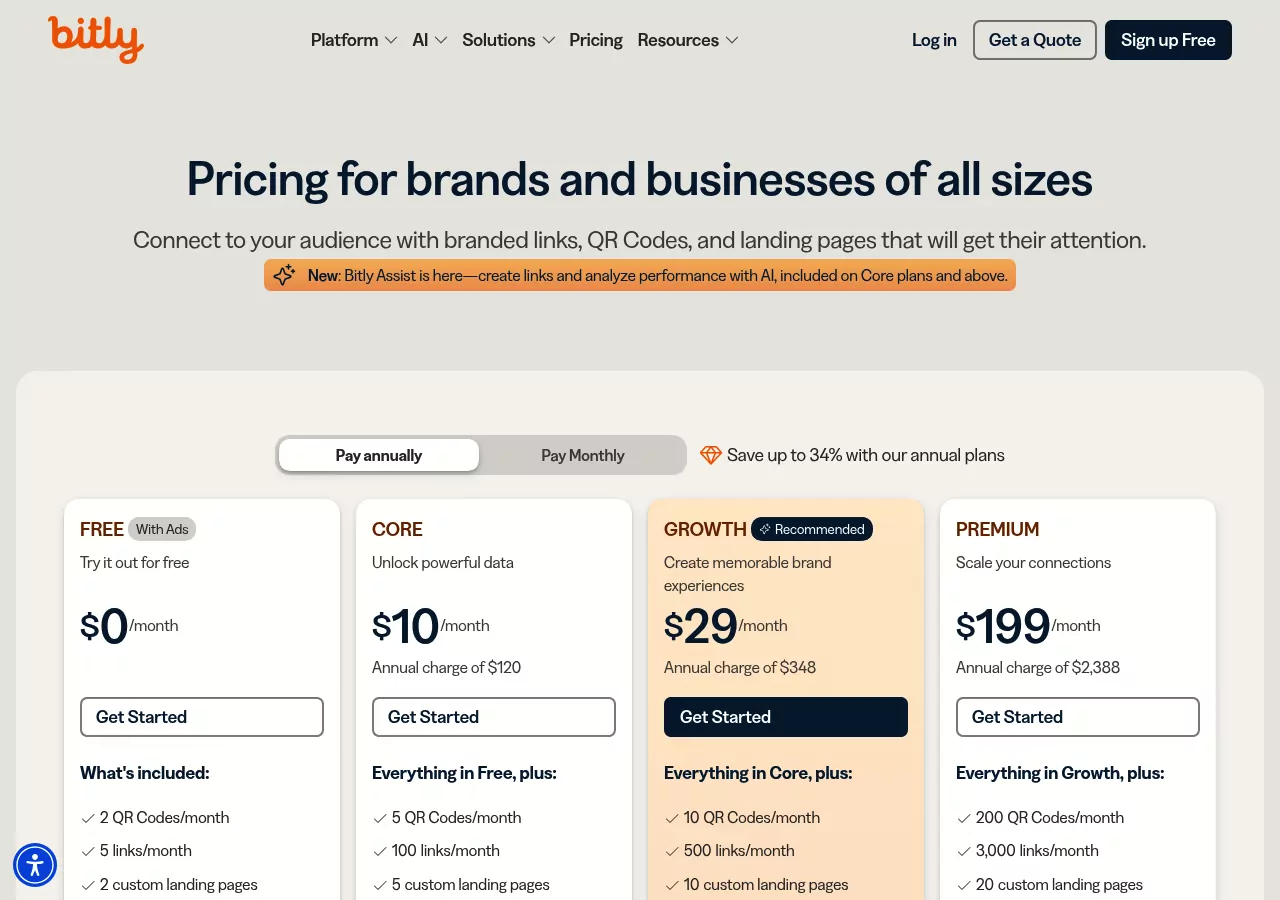
Bitly's self-serve plans cap new links and QR codes each month, from 5 links and 2 QR codes on Free to 3,000 links and 200 QR codes on Premium. Paid plans start at $10 a month billed annually, as of November 2026, per Bitly's pricing page.
Only a Few Destination Edits a Month
Bitly calls destination edits "redirects." The Free plan has none, and paid plans range from 5 to 110 a month. That matters for printed QR codes: each time a campaign page moves, one edit is spent.
One Custom Domain and One Login Below Enterprise
Branded links start on Growth, which includes one complimentary custom domain. Multiple custom domains, multiple users and group permissions are listed under Enterprise only. For a three-person marketing team, that means one shared login and one branded domain until you talk to sales.
Ads on Free Links
Bitly labels its Free plan "With Ads." Its help center says free links now open an interstitial page with a preview of the destination and an ad. That extra step hurts links in ads and print.
Bitly Alternatives at a Glance (as of November 2026)
All prices are in US dollars, and "Not listed" means the vendor's pricing page did not state it.
| Tool | Pricing basis | Free plan | Paid plans from | Custom domains | Team members | Best for |
|---|---|---|---|---|---|---|
| Bitly (baseline) | Subscription with monthly link caps | Yes, with ads: 5 links and 2 QR codes a month | $10/month billed annually (Core) | 1 complimentary from Growth; more on Enterprise | Multiple users on Enterprise only | Integrations and QR design |
| Rebrandly | Subscription by monthly links | Yes: 10 links and 10 QR codes a month | $11/month billed annually (Essentials) | 1 on Free, up to 10 on Growth | Teammates from Professional | Branded links with deeper click data |
| Short.io | Subscription by domains, links and clicks | Yes: 1,000 branded links in total | $5/month billed monthly (Hobby) | 5 on Free, up to 50 on Team | 1 user until Team, then unlimited | A free plan with custom domains |
| Dub | Subscription by new links and events | Yes: 25 new links a month | $27/month billed yearly (Pro) | 3 on Free, 10 on Pro | 1 on Free, 3 on Pro, 10 on Business | Developers and partner programs |
| TinyURL | Subscription by monthly link volume | Yes: 30 links a month | $9/month billed annually (Pro) | 3 from Pro | Not listed | Simple shortening |
| Cuttly | Subscription by monthly links | Yes: 30 links a month | $12/month billed monthly (Starter) | 1 on Free, up to 10 on Team | 3 teams of 5 members on Team | Link-in-bio and surveys on a budget |
| Linkly | Subscription by links and clicks, plus add-ons | Yes: 100 links and 500 clicks a month | $15/month billed annually (Starter) | 1 on Free, up to 10 on Business | Unlimited on every plan | Campaign tracking |
| YOURLS | Free; you pay for your own server | Free to self-host | No license fee | Your own domain | Not listed | Full control with a developer |
| Tiny Team Links | Per-module plan for the whole organization | See current module plans | See current module plans and prices | 3 by default | Whole organization, no per-seat fees | Small teams that want branded links without seat fees |
Sources, all checked on November 11, 2026: Bitly, Rebrandly, Short.io, Dub, TinyURL, Cuttly, Linkly and the YOURLS docs.
The 8 Best Bitly Alternatives for Small Teams
1. Rebrandly: Best for Branded Links With Deeper Click Data
Rebrandly is a link management platform built around branded domains and click data.
Key features: link galleries (its link-in-bio pages), QR codes with custom colors, conversion tracking, routing by location or device, retargeting pixels, an API on every plan and 50+ app integrations.
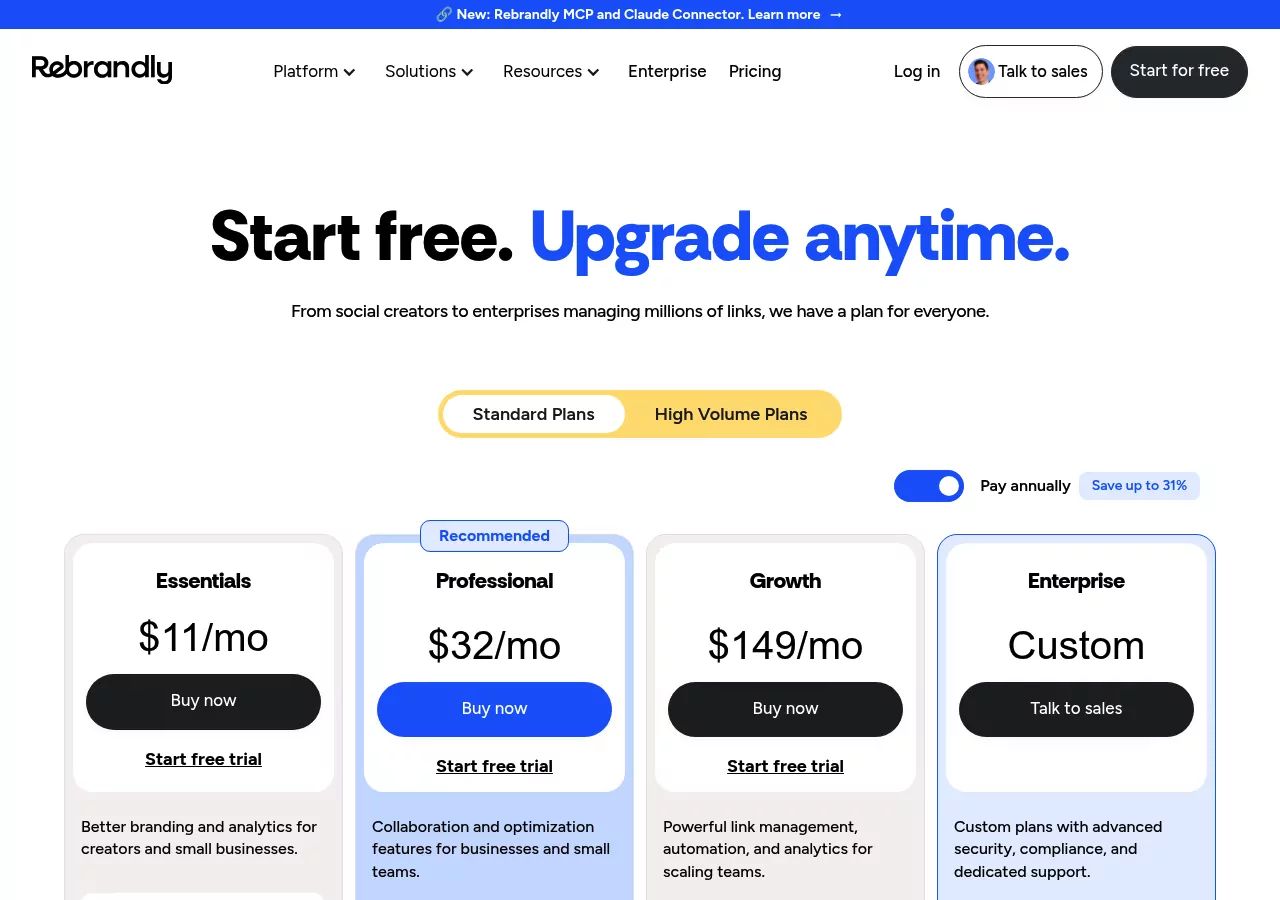
Pricing: as of November 2026, Rebrandly's pricing page lists Essentials at $11 a month billed annually ($16 month to month) for 250 links, 2 domains and 10 destination edits a month. Professional costs $32 a month billed annually ($39 month to month) for 1,500 links, 3 domains and 50 edits. Growth costs $149 a month billed annually for 3,500 links, 10 domains and 150 edits.
Pros:
- Professional includes more links, domains and edits than Bitly's Growth plan at a similar annual price.
- Link-in-bio pages and an API on every plan.
Where it falls short:
- Every plan still caps new links and destination edits each month.
- Free has no destination edits, and teammates start on Professional.
- Free QR codes and link galleries carry a watermark.
Best for: marketing teams that want several branded domains and richer click data.
2. Short.io: Best Free Plan for Custom Domains
Short.io is a branded link shortener with custom domains on every plan.
Key features: destination editing, an API, QR codes with colors and logos, and Zapier, Segment and Slack connections on every plan. It can also import links from other shorteners and build link-in-bio posts and link bundles.
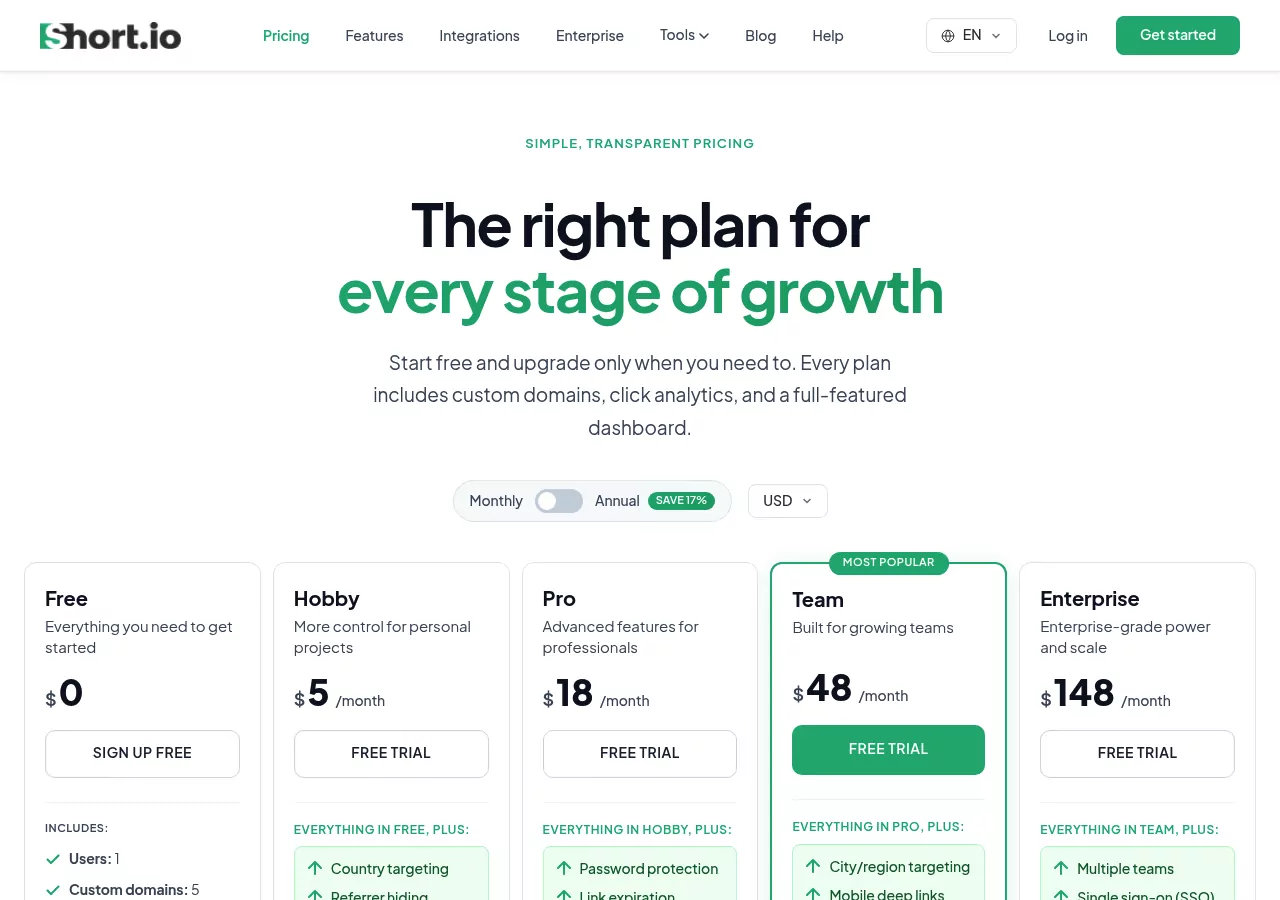
Pricing: as of November 2026, Short.io's pricing page shows Hobby at $5, Pro at $18, Team at $48 and Enterprise at $148 a month on monthly billing. Annual billing saves 17% ($180 a year for Pro).
The Free plan includes 1 user, 5 custom domains, 1,000 branded links in total and 50,000 tracked clicks a month. Pro adds unlimited branded links, 10 domains and unlimited tracked clicks.
Pros:
- Destination edits on every plan, with no monthly count listed.
- A built-in link importer helps you move from another tool.
Where it falls short:
- Free, Hobby and Pro allow one user. Several logins mean the Team plan.
- The free 1,000 links is a lifetime total, not a monthly allowance.
- On Free, detailed stats stop showing after 50,000 clicks in a month.
Best for: founders and solo marketers who want a URL shortener with custom domain support for little or no money.
3. Dub: Best for Developers and Partner Programs
Dub is a link platform with two products: Dub Links and Dub Partners, an affiliate tool. Its core code is open source under AGPLv3, per the Dub repository.
Key features: an API and QR codes on every plan, geo and device targeting, passwords, expiry and deep links on paid plans. Business adds conversion tracking, A/B testing and event webhooks. Dub's help center has migration guides for moving from Bitly, Rebrandly and Short.io, plus CSV import.
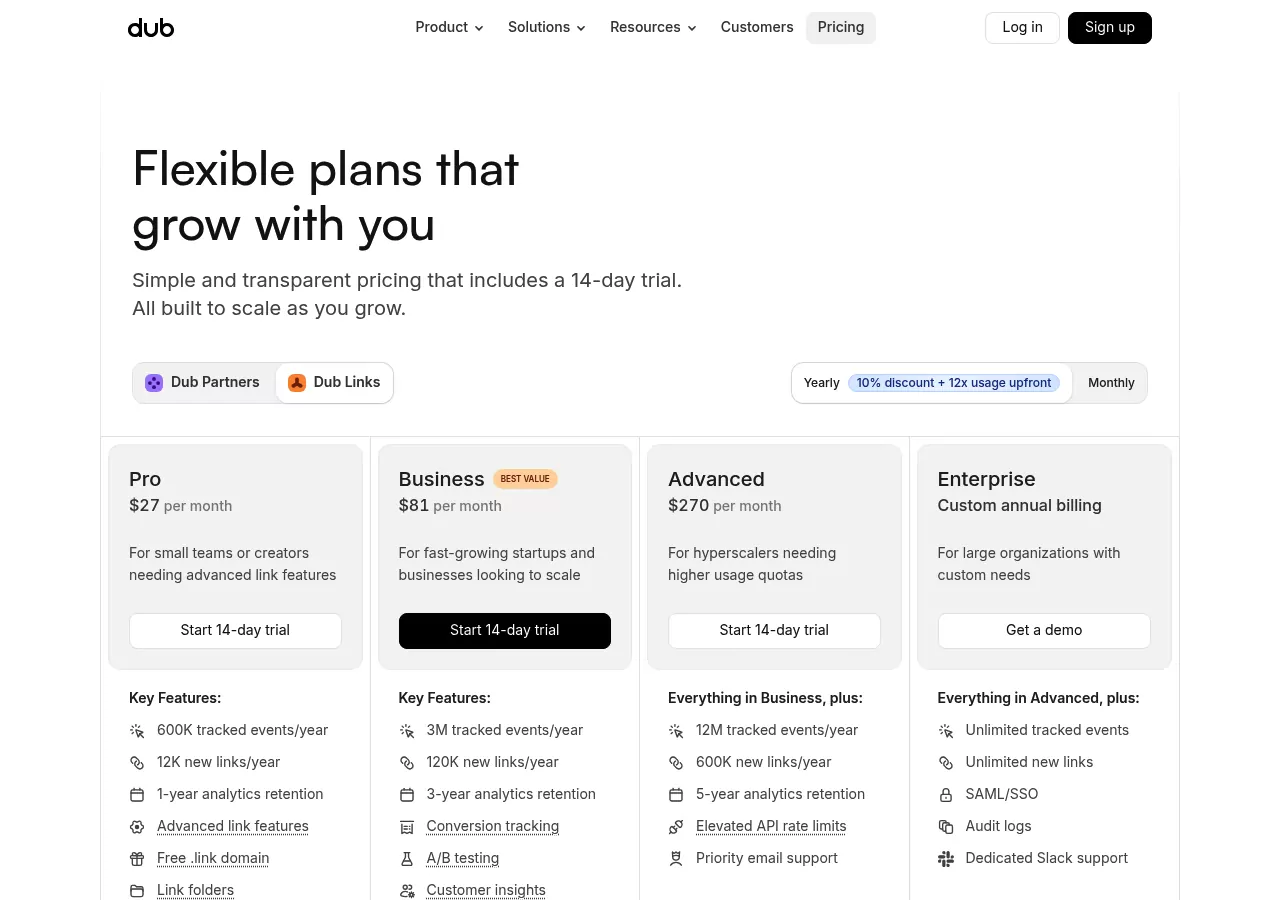
Pricing: as of November 2026, Dub's Links pricing page lists Pro at $27 a month billed yearly or $30 month to month. Pro includes 1,000 new links and 50,000 tracked events a month, 10 custom domains and 3 users.
Business costs $81 a month billed yearly or $90 month to month, with 10,000 new links a month and 10 users. Paid plans start with a 14-day trial.
Pros:
- API access, 3 custom domains and QR codes on the free plan.
- Partner and affiliate tools on Business and above.
Where it falls short:
- Free allows only 25 new links a month, 1 user and 30 days of analytics.
- Free QR codes show the Dub logo; logo controls start on Pro.
- No link-in-bio pages are listed.
Best for: developers and SaaS teams that create links in code or run referral programs.
4. TinyURL: Best for Simple Shortening Priced by Volume
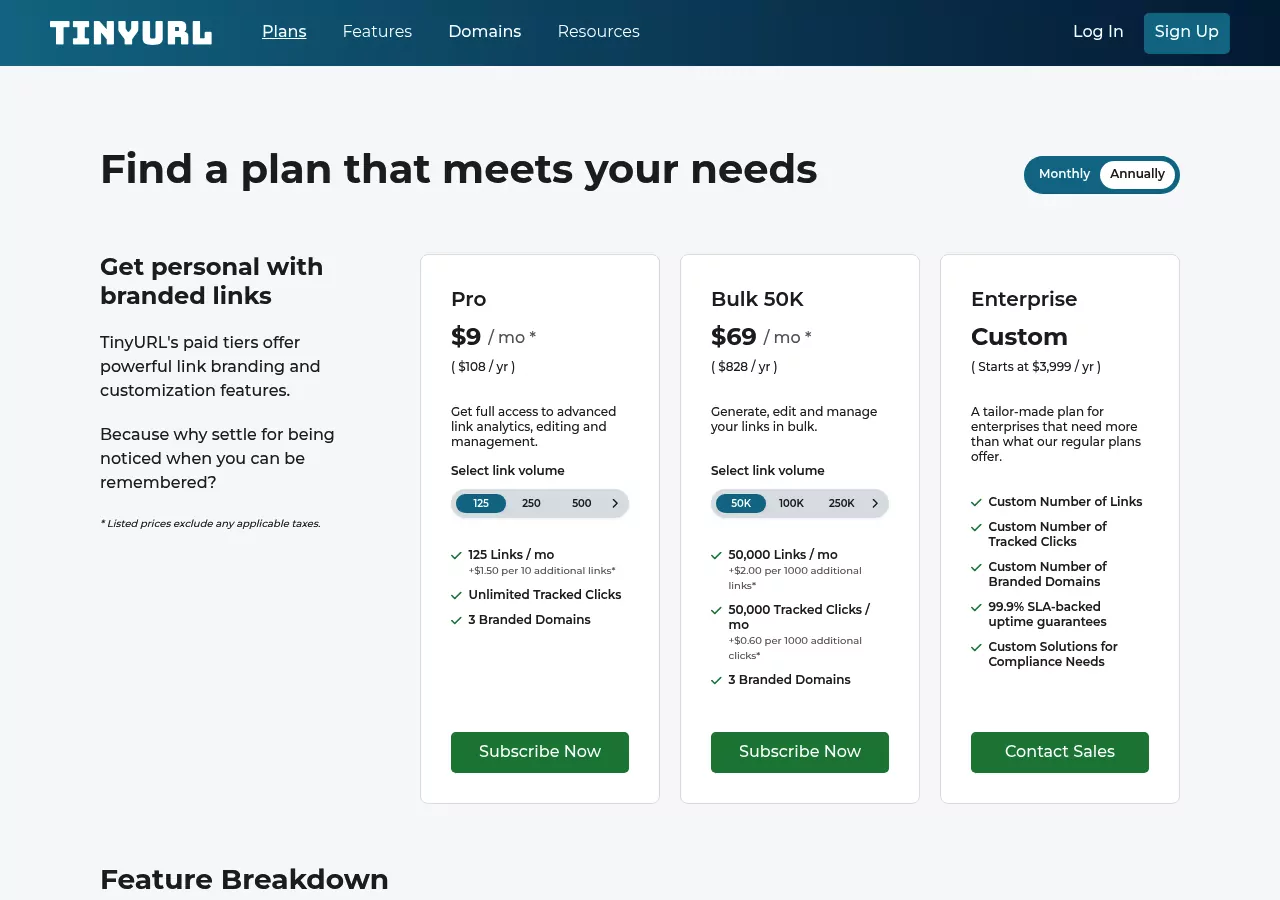
TinyURL is a link shortener whose paid plans are sold by how many links you create each month.
Key features: custom aliases on every plan, plus a developer API. Pro adds branded domains, destination editing, tags and an analytics dashboard with referrer and location data and two years of history.
Pricing: as of November 2026, TinyURL's pricing page lists Pro at $9 a month billed annually ($108 a year) or $11 month to month. That covers 125 links a month, with extra links at $1.50 per 10, unlimited tracked clicks and 3 branded domains. Bulk 50K costs $69 a month billed annually for 50,000 links a month.
Pros:
- A low entry price for branded links.
- Unlimited tracked clicks on Pro.
Where it falls short:
- Free has no click tracking and no destination edits.
- Pro's 125 links a month is small for busy teams.
- Team seats, QR design and link-in-bio pages are not listed on the pricing page.
Best for: people who mostly need short, clean links and basic stats.
5. Cuttly: Best Budget Option With Link-in-Bio and Surveys
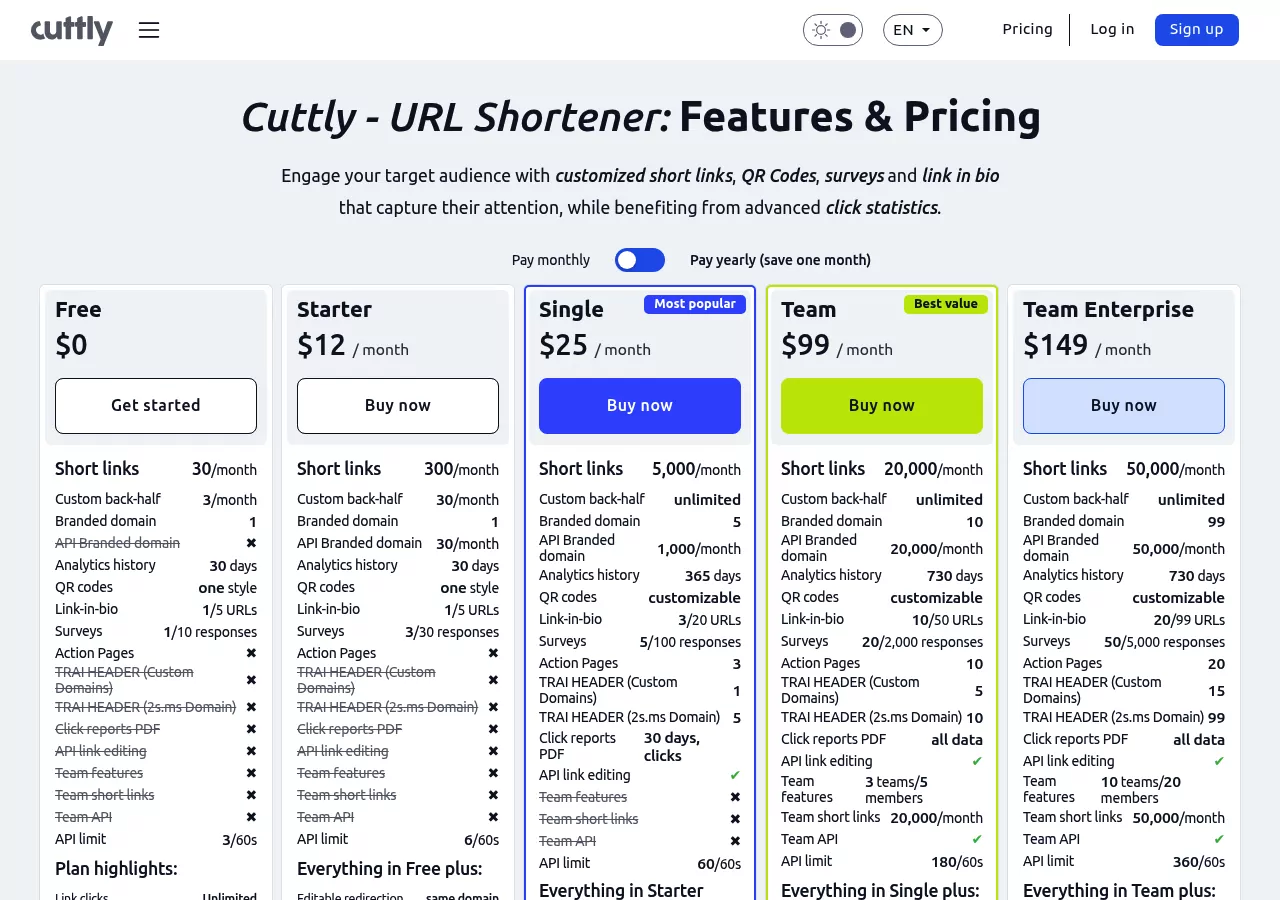
Cuttly is a link shortener that bundles link-in-bio pages, surveys and QR codes into each plan.
Key features: branded domains, link-in-bio pages and surveys on every plan, plus an API. Single adds custom QR codes, password links, mobile redirects, retargeting pixels, A/B link rotation and CSV bulk shortening of 100 links a month.
Pricing: as of November 2026, Cuttly's pricing page lists Starter at $12 a month or $132 a year for 300 links a month. Single costs $25 a month or $275 a year for 5,000 links and 5 branded domains. Team costs $99 a month or $1,089 a year for 20,000 links, 10 domains and 3 teams of 5 members.
Pros:
- Link-in-bio pages and surveys in one tool.
- Retargeting pixels and A/B rotation below the Team tier.
Where it falls short:
- Free has no destination edits, and below Team a new destination must stay on the same domain.
- Team features start at $99 a month.
- Every plan has a monthly link cap.
Best for: budget-minded marketers who want link-in-bio pages and quick surveys.
6. Linkly: Best for Campaign Tracking With Pixels and Redirect Rules
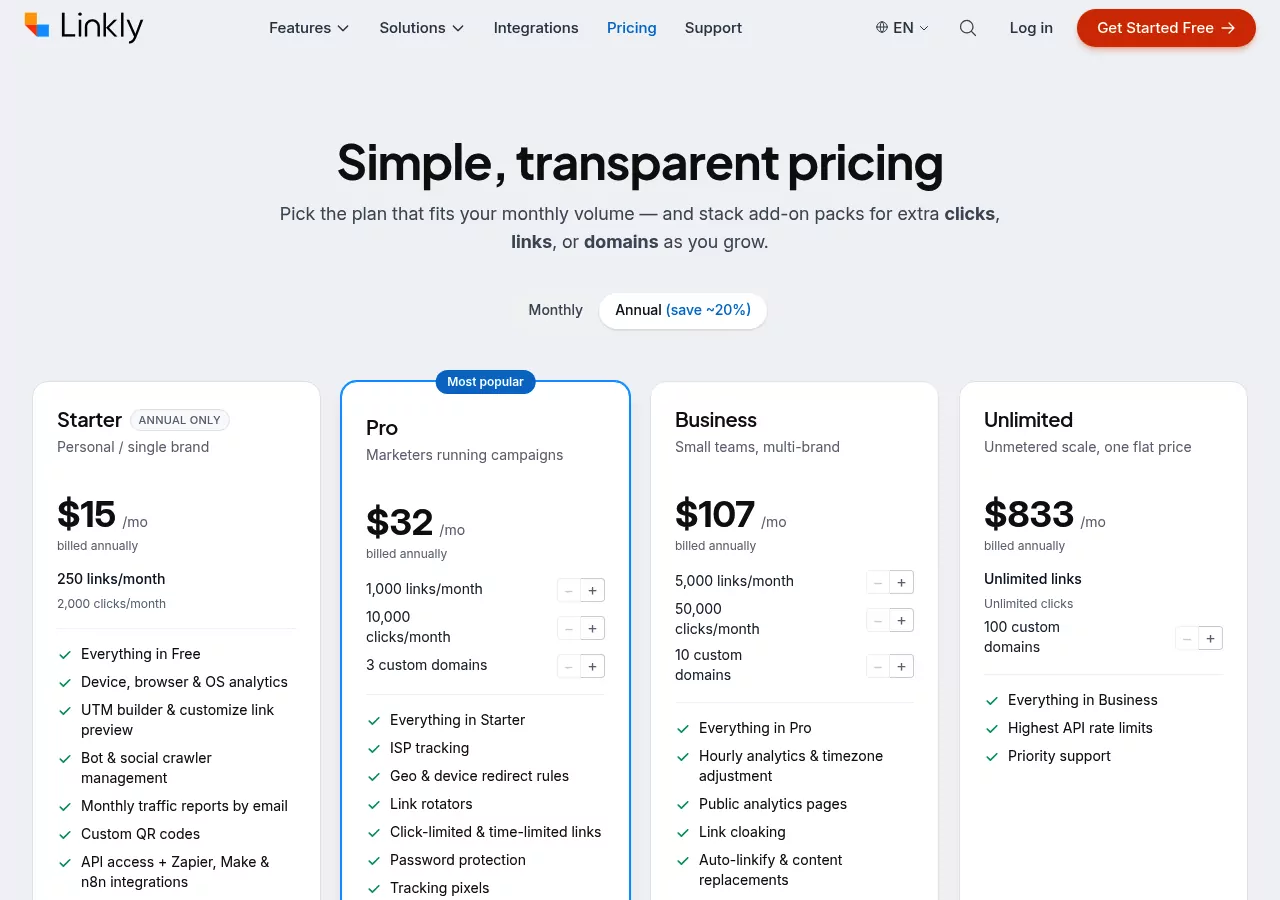
Linkly is a tracking-focused link shortener for marketers who run paid campaigns.
Key features: full API access on every plan, custom QR codes from Starter, and geo and device redirect rules, link rotators, passwords and tracking pixels from Pro. Pro also adds CSV import. Paid plans add Zapier, Make and n8n connections.
Pricing: as of November 2026, Linkly's pricing page lists Starter at $15 a month, billed annually only, for 250 links and 2,000 clicks a month. Pro costs $32 a month billed annually ($39 month to month) for 1,000 links, 10,000 clicks and 3 domains. Business costs $107 a month billed annually for 5,000 links, 50,000 clicks and 10 domains.
Pros:
- Unlimited team members on every plan.
- Add-on packs extend clicks, links or domains without a new tier.
Where it falls short:
- It counts tracked clicks as well as links.
- On paid plans, going past the click quota buys a click add-on automatically.
- On Free, links pause until the next reset once the click quota runs out.
Best for: teams that run ads and want pixels and smart redirects on every link.
7. YOURLS: Best Free Self-Hosted Option
YOURLS is a free, open-source set of PHP scripts that runs your own short link service on your own server and domain. Its code is MIT licensed, per the YOURLS repository, and its site calls it "the de facto standard" self hosted URL shortener.
Key features: a developer API, bookmarklets, click stats with history, referrer tracking and visitor location. A plugin system lets you add features.
Pricing: YOURLS has no license fee. You pay for your own hosting.
Per the YOURLS docs (checked November 2026), it needs Apache 2.4 or later with mod_rewrite, PHP 8.1 or later, and MySQL 5.5 or later or MariaDB 10.0 or later. HTTPS is recommended.
Pros:
- No link caps set by a vendor.
- Full control of your data and your domain.
- Dozens of community plugins.
Where it falls short:
- Someone has to run the server, updates, backups and security.
- Help comes from the docs and the community, not a vendor support team.
- QR codes and team roles are not core features; they need plugins or custom work.
Best for: teams with a developer who want full control at no license cost.
8. Tiny Team Links: Best for Small Teams That Want Branded Links Without Seat Fees
Tiny Team Links is a web app module for small teams. It offers a module plan for your whole organization.
Key features: short links on a shared short domain or your own, with guided DNS and HTTPS setup. You also get custom slugs, PNG and SVG QR codes, and editable destinations that keep the same short link and QR code.
Short links can carry UTM fields, expiry dates, passwords and shared tags. Click analytics cover day, link, domain, tag, referrer, device, browser and, when trusted location data is available, country, with bot filtering and no tracking cookies.
Pricing: a module plan for your whole organization. Review current prices, payment timing and renewal terms before paying.
Default allowances are 1,000 stored links, 3 custom domains and 100,000 tracked clicks per month. Redirects keep working past the click allowance, as long as the module stays available and the link and domain stay active.
Pros:
- No per-seat fees.
- Destination edits keep printed QR codes working.
- Three custom domains by default.
Where it falls short:
- No API or integrations.
- No bulk or CSV import, so existing Bitly links have to be recreated by hand.
- No custom QR code designs (PNG and SVG downloads only) and no link-in-bio pages.
- No retargeting pixels and no geo or device routing.
- No mobile app, and a link's slug and domain cannot be changed later.
Teams that need an API, integrations, link-in-bio pages or designed QR codes should pick Bitly or one of the options above instead.
Best for: small marketing teams that want branded links and QR codes they can redirect after printing, with no per-seat fees. More on the Links module page.
Feature Check: What Each Bitly Alternative Includes
"Not listed" means the vendor's own pages did not confirm a feature.
| Tool | Custom domains | Editable destinations | QR code design | Link-in-bio | API | Bulk or CSV import | Team seats |
|---|---|---|---|---|---|---|---|
| Bitly (baseline) | 1 from Growth; more on Enterprise | 5 to 110 a month on paid plans | Yes (limited on Free) | Yes (Bitly Pages) | Yes, every plan | Bulk creation from Growth | Enterprise only |
| Rebrandly | 1 on Free, up to 10 on Growth | 10 to 150 a month from Essentials | Yes; logo from Essentials | Yes (link galleries) | Yes, every plan | From Professional | From Professional |
| Short.io | 5 on Free, up to 50 on Team | Yes, every plan | Yes (colors and logos) | Yes (posts and link bundles) | Yes, every plan | Yes (link import) | Unlimited on Team |
| Dub | 3 on Free, 10 on Pro, 100 on Business | Yes | Yes; logo control from Pro | Not listed | Yes, every plan | Yes (Bitly, Rebrandly, Short.io, CSV) | 1 on Free, 3 on Pro, 10 on Business |
| TinyURL | 3 from Pro | From Pro | Not listed | Not listed | Yes | From Bulk 50K | Not listed |
| Cuttly | 1 on Free, up to 10 on Team | Same domain from Starter; any URL on Team | Customizable from Single | Yes | Yes | CSV from Single | 3 teams of 5 on Team |
| Linkly | 1 on Free, up to 10 on Business | Yes | Custom from Starter | Not listed | Yes, every plan | CSV from Pro | Unlimited |
| YOURLS | Your own domain | Not listed | Not listed | Not listed | Yes | Not listed | Not listed |
| Tiny Team Links | Yes, 3 by default | Yes | No (PNG and SVG downloads) | No | No | No | Whole organization, no per-seat fees |
How to Choose the Right Bitly Alternative
Start with what you use short links for, then find the best URL shortener for the Bitly limit that hurts most.

- You create hundreds of links a month: try Short.io Pro, Cuttly Single or a self-hosted YOURLS server.
- You change destinations on printed QR codes often: Short.io (every plan) and TinyURL (from Pro) list edits with no monthly count. Rebrandly allows 10 to 150 a month and Bitly 5 to 110.
- You need several branded domains: Short.io (5 on Free), Dub (3 on Free), Tiny Team, or Rebrandly by plan.
- Several teammates need their own login: Short.io Team, Dub Pro, Rebrandly Professional, Cuttly Team, Linkly (unlimited members, even on Free) or Tiny Team.
- You need an API, Zapier or webhooks: Dub, Short.io, Rebrandly, Linkly or YOURLS.
- You need link-in-bio pages or designed QR codes: Rebrandly, Cuttly, Short.io or Bitly itself.
- You want retargeting pixels or geo and device routing: Linkly, Cuttly or Rebrandly.
- You want organization-wide pricing: review Tiny Team Links plans for the whole organization; YOURLS is free to self-host.
How to Switch From Bitly Without Breaking Your Links
Moving short links is mostly about who controls the domain, so plan it before you cancel anything.
Links on bit.ly Stay on Bitly
Links on the bit.ly domain resolve through Bitly, so they cannot move, and neither can printed QR codes that encode them. Per Bitly's help center, bit.ly links keep working after a downgrade. You cannot repoint them without a Bitly plan that allows edits, so the next print run needs new codes on your new domain.
Links on Your Own Domain Can Move
If you own the branded domain, recreate or import the links with the same back-halves in the new tool. Then point the domain's DNS records to it, so old URLs and printed QR codes keep working.
Importers differ: Dub has a guided Bitly import, Short.io lists link import from other shorteners, and Rebrandly, Linkly, Cuttly and TinyURL offer bulk or CSV import on higher plans. The YOURLS pages checked list no importer.
Check Who Owns a Complimentary Domain
Bitly's Growth plan includes a complimentary custom domain. Bitly says that domain cannot be transferred to you or another owner. If you downgrade to a plan without a custom domain, Bitly stops renewing it, and links on it stop working when the registration expires.
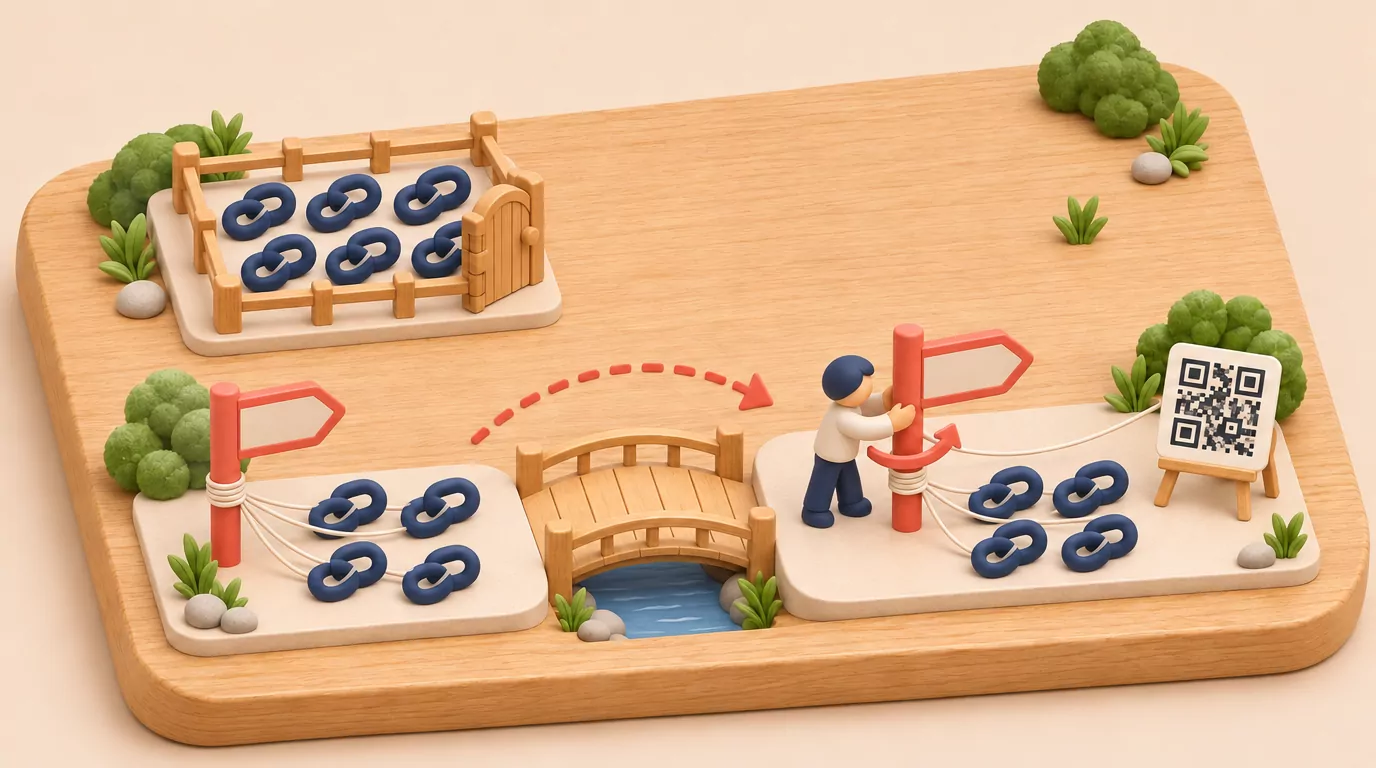
A Seven-Step Switching Checklist
- Export your links and any analytics you want to keep.
- List every domain and who owns its registration.
- Create or import the links in the new tool with the same back-halves.
- Repoint DNS and wait until HTTPS is ready.
- Test a sample of old links and printed QR codes.
- Swap bit.ly links in bios, email signatures and your own web pages for new links.
- Only then downgrade or cancel Bitly.
How These Tools Were Compared
Prices, plan limits and features were checked on each vendor's pricing page, help center and docs on November 11, 2026. Script-loaded pages such as TinyURL's were read in a browser. No hands-on testing, trials or ratings were used.
Bottom Line: Which Bitly Alternative Should You Pick?
Short.io or YOURLS fit high volume on a budget, Rebrandly suits branded links and click data, and Dub suits developers.
TinyURL covers simple shortening, while Cuttly and Linkly add campaign features cheaply. Stay on Bitly if its caps do not bother you and you rely on its integrations.
If branded short links, QR codes you can redirect after printing and click analytics cover what you need, Tiny Team's Links module is worth a look. It offers a module plan for your whole organization, with no per-seat fees. See current prices. New workspace access starts after the first module payment is confirmed.
Frequently Asked Questions
Who are Bitly's competitors?
Bitly competitors fall into five groups: branded-link platforms (Rebrandly, Short.io), developer tools (Dub), campaign trackers (Linkly, Cuttly), simple shorteners (TinyURL) and self-hosted YOURLS. On Free, Short.io includes 5 custom domains and Dub includes API access plus 3 domains. Linkly lists unlimited team members on every plan, and YOURLS has no license fee.
Is there a free alternative to Bitly?
Yes. As of November 2026, Short.io, Dub, Rebrandly, Linkly, Cuttly and TinyURL each work as a free Bitly alternative, with limits from 10 to 100 new links a month or 1,000 links in total. Short.io's free plan suits branded links best, and YOURLS is free to self-host, but you need your own server.
Is TinyURL or Bitly better?
In TinyURL vs Bitly, TinyURL gives more for less. As of November 2026, TinyURL Pro ($9 a month billed annually) includes 125 links a month, 3 branded domains and unlimited tracked clicks, while Bitly Core ($10 a month billed annually) has 100 links a month and no branded links. Bitly wins on integrations, QR code design and landing pages.
Is Rebrandly better than Bitly?
For branded links, often yes. As of November 2026, Rebrandly's Professional plan ($32 a month billed annually) includes 1,500 links, 3 custom domains and 50 edits a month, more than Bitly's Growth plan at a similar price. Bitly has the bigger brand and more integrations.
Will my Bitly links stop working if I switch?
Links on bit.ly keep working, per Bitly's help center, but cannot move to a new tool. Links on a domain you own can move if you recreate them with the same back-halves and repoint DNS. Links on a complimentary Bitly domain stop working once its registration lapses after a downgrade.