Leave management software replaces spreadsheets and email chains with a single system for requesting, approving, and tracking employee time off. For growing teams, it eliminates scheduling conflicts, ensures policy compliance, and gives HR managers real-time visibility into who's out and when.
If you're still managing PTO in a shared Google Sheet, you already know the pain. Requests get lost, balances don't add up, and nobody's sure who approved what. This guide covers the best leave management tools available in 2026 — what they actually do, what they cost, and which one fits your team.
What to Look for in a Leave Management System
Before diving into specific tools, it helps to know what separates a good leave management system from a glorified form builder. Not every team needs the same features, but these capabilities matter for most small and mid-size companies.
Policy flexibility is non-negotiable. Your tool should handle vacation, sick leave, personal days, parental leave, and custom types without workarounds. Some teams need location-based policies — a team member in Germany gets different statutory leave than one in Texas.
Approval workflows should match your org structure. A 10-person startup might want direct manager approval. A 50-person company might need department-level routing. The best tools let you configure this without calling support.
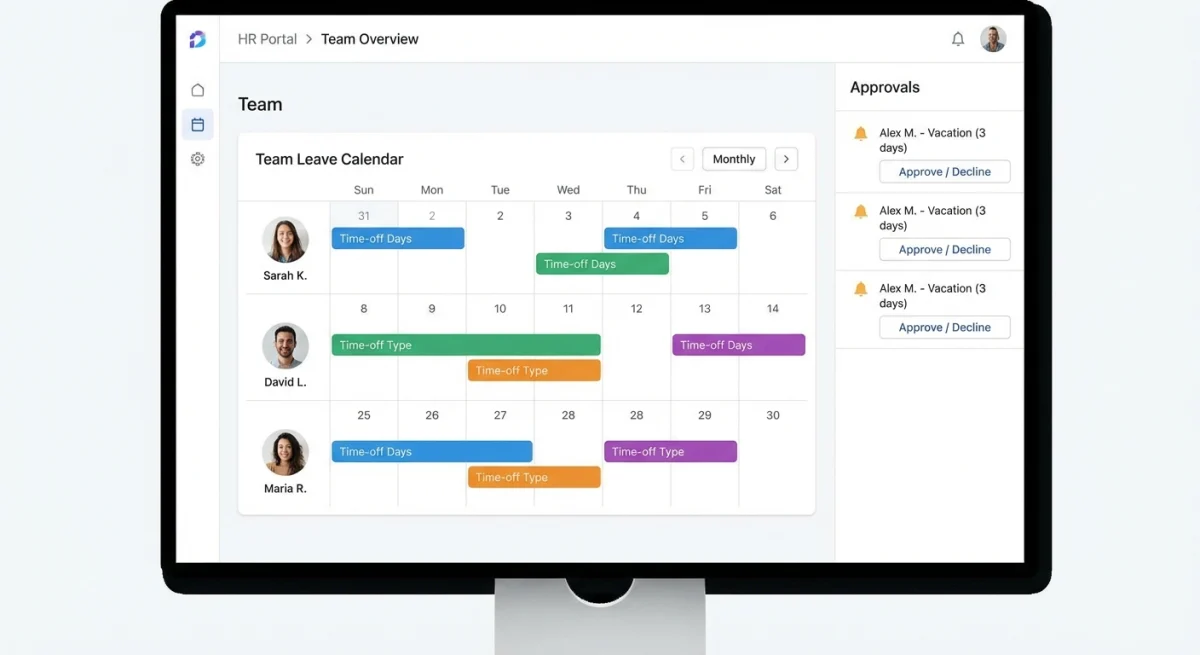
Calendar visibility keeps everyone on the same page. When a manager can see at a glance that three engineers are already off next Friday, they can make smarter approval decisions. Look for shared calendars that sync with Google Calendar or Outlook.
Accrual tracking automates the math nobody wants to do. Employees accrue PTO at different rates based on tenure, role, or policy tier. Manual tracking is where errors creep in — and where disputes start.
Top 8 Leave Management Software Compared
Here's a side-by-side look at the leading options. Pricing reflects published rates as of early 2026.
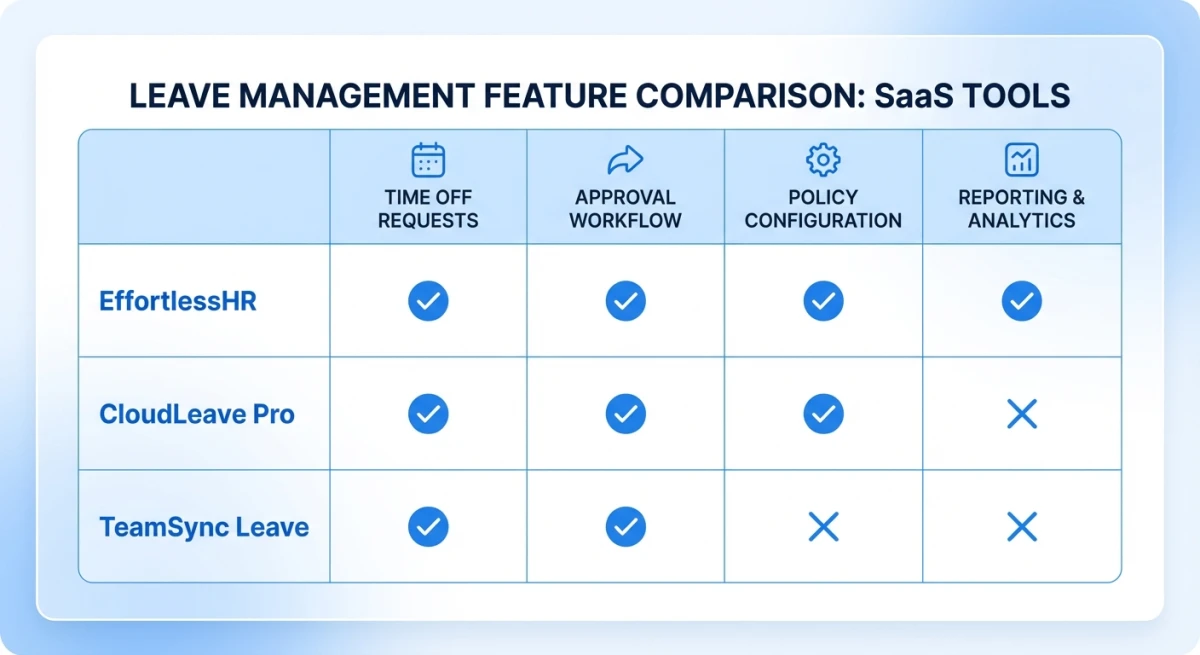
| Tool | Best For | Starting Price | Key Strength |
|---|---|---|---|
| Tiny Team | Small teams (5–100) | Free up to 10 · $79/mo up to 50 | All-in-one HR + leave calendar |
| BambooHR | Mid-size companies | ~$13/employee/mo | Deep reporting |
| Absence.io | European teams | €3/employee/mo | EU compliance |
| Vacation Tracker | Slack-first teams | $1/employee/mo | Slack/Teams integration |
| Factorial | Growing startups | Free tier available | Broad HR suite |
| Calamari | Shift-based teams | $2/employee/mo | Clock-in + leave combo |
| Zoho People | Budget-conscious | $1.25/employee/mo | Part of Zoho ecosystem |
| Rippling | Enterprise-lite | ~$8/employee/mo | Unified IT + HR |
Tiny Team: Leave Calendar Built Into Your HR Platform
Most leave management tools are standalone products. You adopt one for time off, another for employee records, another for onboarding. That sprawl adds up — both in cost and in context-switching.
Tiny Team's Team Calendar handles leave requests, custom PTO policies, and company holidays inside the same platform you already use for people management and documents. There's no per-seat pricing. Teams of up to 10 people use it free, with every feature and no credit card. Above that, it's a flat $79/month for teams up to 50 — one paid plan, all features, not per-seat. The paid plan includes a 30-day free trial (a credit card is required, and you're billed $79/month after unless you cancel).
The approval workflow is straightforward: employees submit a request, their manager gets notified, and the calendar updates automatically. You define leave types (vacation, sick, personal, parental — whatever you need) and set accrual rules per policy.
It won't be the right fit if you need deep integrations with Slack bots or complex shift scheduling. But for teams that want one affordable tool that covers HR basics and leave tracking without per-employee fees, it's hard to beat on value.
BambooHR: The Enterprise Standard for Time Off Tracking
BambooHR is the name most HR managers already know. Their time-off tracking module offers custom leave types, automated accrual calculations, and a company-wide calendar view.
Where BambooHR shines is reporting. You can pull reports on leave usage by department, spot trends in sick leave, and flag employees who haven't taken time off in months (a burnout risk signal). Their approval chains support multi-level routing, which matters for teams with 50+ people.
The catch is pricing. BambooHR charges per employee per month, starting around $13. For a 30-person team, that's roughly $4,700/year — compared to a flat $79/month (about $948/year) on a flat-rate platform like Tiny Team. The feature depth is real, but so is the cost difference.
Vacation Tracker: Best for Slack and Teams Users
If your company lives in Slack or Microsoft Teams, Vacation Tracker meets you there. Employees request leave directly in a channel. Managers approve with a click. The bot updates a shared dashboard automatically.
At $1/employee/month, it's one of the cheaper options. But it's purely a leave tracker — no employee directory, no onboarding, no performance reviews. You'll need other tools to fill those gaps.
Vacation Tracker works best for remote-first teams under 50 people who already rely on chat-based workflows and don't want to introduce "yet another HR app."

Leave Types and Policies: Getting the Setup Right
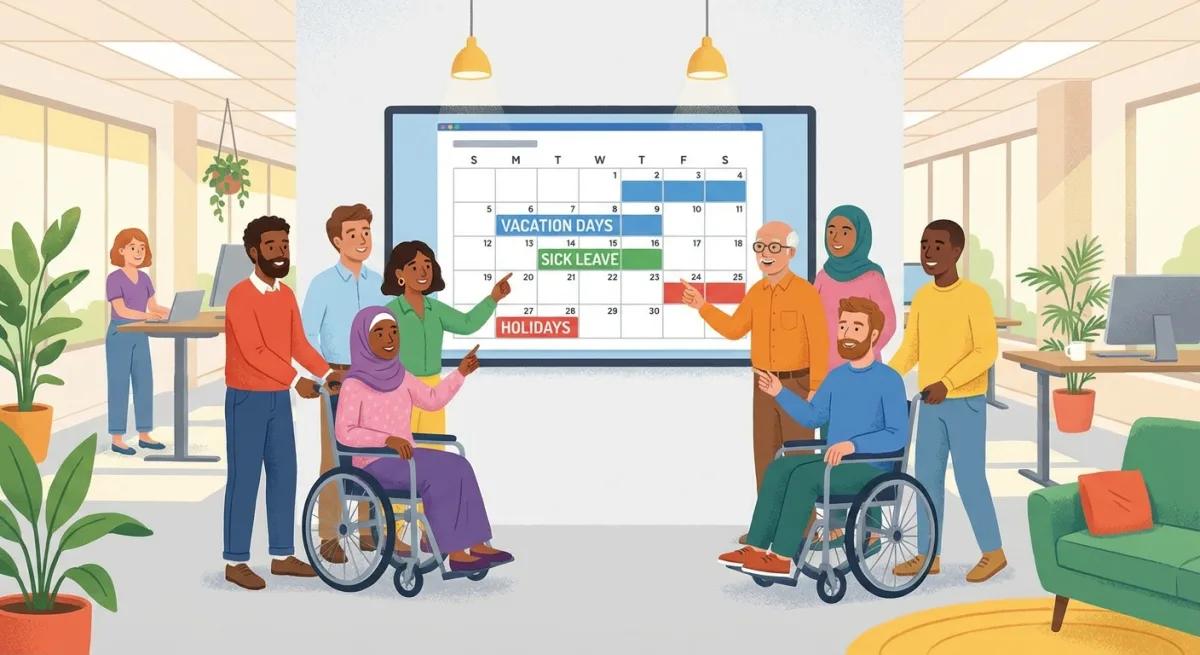
A common mistake is starting with only "Vacation" and "Sick Leave" as categories. Real teams need more nuance. Here's a practical framework for structuring leave policies:
Standard Leave Types
- Paid Time Off (PTO) — Combined vacation + personal days in a single bucket
- Sick Leave — Separate from PTO in states that mandate it (California, New York, etc.)
- Parental Leave — Maternity, paternity, and adoption leave
- Bereavement — Typically 3–5 days for immediate family
- Jury Duty — Legally required in most US jurisdictions
- Volunteer/Community — Growing trend, typically 1–2 days per year
- Mental Health Days — Some companies break these out from sick leave
A Real-World Example
A 25-person marketing agency in Portland set up their leave management system with three tiers:
- Years 0–2: 15 PTO days + 5 sick days
- Years 3–5: 20 PTO days + 5 sick days
- Years 5+: Unlimited PTO with a 15-day minimum usage requirement
They also added "Creative Recharge" — a unique 5-day block every 18 months for employees to pursue a personal project. Their leave management tool handles all three tiers automatically based on hire date. No manual adjustments, no spreadsheet formulas breaking.
The Society for Human Resource Management (SHRM) publishes detailed guidance on structuring leave policies that comply with federal and state regulations. Worth bookmarking if you're building policies from scratch.
Automated Approvals: How to Set Them Up
Manual approval works fine when you have 8 employees. At 30+, it becomes a bottleneck. Here's a step-by-step approach to automating leave approvals without losing oversight:
Step 1: Define your routing rules. Map each employee to their direct approver. In most leave management tools, this lives in the org chart or reporting structure.
Step 2: Set auto-approval thresholds. Some teams auto-approve requests under 2 days if the employee has sufficient balance and no team conflicts. This eliminates 60–70% of approval traffic.
Step 3: Add conflict detection. Configure the system to flag requests when more than a set percentage of a team is already off. A common rule: block auto-approval if >30% of the department is out on the same day.
Step 4: Escalation paths. If a manager doesn't respond within 48 hours, the request should escalate to their manager or HR. Stale requests frustrate employees and signal disorganization.
Step 5: Notification preferences. Let managers choose how they're notified — email, Slack, or in-app. The approval chain only works if people actually see the requests.
Leave Accrual Tracking: The Math Nobody Wants to Do
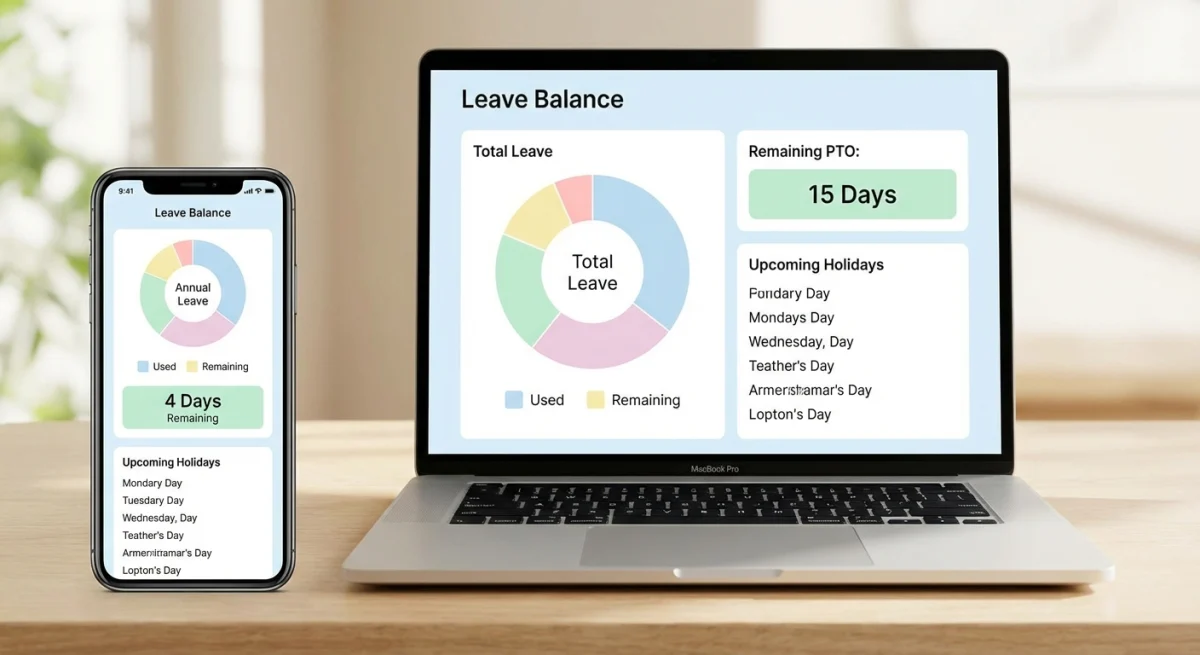
Accrual tracking is where spreadsheets break down fastest. Between pro-rated first-year accruals, carryover caps, tenure-based increases, and mid-year policy changes, manual math is a liability.
Here's what a solid accrual system should handle:
| Scenario | What the System Should Do |
|---|---|
| New hire starts mid-year | Pro-rate accrual from start date |
| Employee hits tenure milestone | Auto-bump to next accrual tier |
| Year-end carryover | Apply cap (e.g., max 5 days roll over) |
| Negative balance request | Block or flag, per your policy |
| Termination | Calculate payout for unused PTO |
| Part-time employee | Accrual based on hours worked |
According to the U.S. Bureau of Labor Statistics, the average American worker gets 11 days of paid vacation after one year, rising to 15 days after five years. If your policies are significantly below these benchmarks, you're likely losing candidates to competitors who offer more.
Compliance and Reporting
Leave management isn't just an internal convenience — it's a compliance requirement. Several states mandate specific sick leave accrual rates, and the Family and Medical Leave Act (FMLA) requires covered employers to provide up to 12 weeks of unpaid, job-protected leave.
Your leave management software should generate reports that answer:
- How much PTO has each employee used this year? Needed for payroll reconciliation and year-end payout calculations.
- Are any employees consistently exceeding sick leave? Could indicate a workplace issue or accommodation need.
- Which departments have the highest absence rates? Useful for workforce planning and identifying morale problems.
- Are we compliant with state-specific mandates? California, New York, and Colorado all have different rules. Your system should track by employee location.
Forbes' HR Council regularly publishes articles on emerging compliance requirements — worth following if you manage leave across multiple states.
Integration with Payroll
Most leave management tools export data to your payroll provider rather than processing payroll themselves. This integration matters because unpaid leave, PTO payouts at termination, and sick leave usage all affect paycheck calculations.
Common integration patterns:
- Direct sync — BambooHR and Rippling connect to payroll processors automatically
- CSV export — Most tools let you export leave data for manual import
- API — Developer-friendly tools offer REST APIs for custom integrations
If your team is under 50 people, a CSV export that your bookkeeper imports monthly is usually enough. Over 50, direct sync saves real time and reduces errors.
For teams using Tiny Team, compensation tracking lives alongside leave data in one platform — so when you export for payroll, you're pulling from a single source of truth rather than reconciling two systems.
How to Choose the Right Leave Management Tool
Skip the feature checklist arms race. Focus on three questions:
1. How many people are on your team? Under 15, you need simplicity and value — not enterprise features you'll never use. Over 50, reporting depth and approval routing matter more.
2. What else do you need beyond leave tracking? If you also need an employee directory, onboarding checklists, and performance reviews, a standalone leave tool means more subscriptions and more fragmentation. An all-in-one HR platform consolidates that.
3. What does your team already use? A Slack-first team will adopt Vacation Tracker faster than a full HR suite. A team already in Zoho will find Zoho People frictionless. Match the tool to your existing workflow, not the other way around.
Frequently Asked Questions
What is leave management software?
Leave management software automates the process of requesting, approving, and tracking employee time off. It replaces manual spreadsheets with a centralized system that handles PTO balances, accrual calculations, policy enforcement, and calendar visibility for the whole team.
How much does leave management software cost?
Prices range widely. Per-employee tools like BambooHR cost $8–16 per person per month. Flat-rate options like Tiny Team are free for teams up to 10 people, then a flat $79/month for teams up to 50 — not per-seat. Free tiers exist (Factorial, Zoho People) but typically limit features or team size.
Can leave management software handle different policies for different employees?
Yes. Most modern tools support multiple leave policies based on employee location, department, tenure, or role. You can set different accrual rates, carryover limits, and leave types per policy group.
What's the difference between PTO and leave management?
PTO (Paid Time Off) is one type of leave. Leave management is broader — it covers all absence types including sick leave, parental leave, bereavement, FMLA, and unpaid time off. A good leave management system handles all of these, not just PTO.
Do small businesses need leave management software?
Teams under 10 can often manage with a shared calendar and basic tracking. Once you hit 15–20 employees, manual tracking becomes error-prone and time-consuming. At that point, even a simple tool pays for itself in reduced admin time and fewer policy disputes.
How does leave management software integrate with payroll?
Most tools export leave data (used PTO, unpaid days, sick leave hours) to your payroll provider via direct sync, CSV export, or API. This ensures accurate paycheck calculations, especially for PTO payouts and unpaid leave deductions.