Running payroll means calculating employee wages, withholding the correct taxes, and distributing paychecks on a consistent schedule. For small business owners, how to run payroll is one of the most critical operational tasks you'll face—get it wrong, and you're looking at IRS penalties, unhappy employees, and potential lawsuits.
This guide breaks down the entire payroll process into clear steps so you can pay your team accurately and stay compliant.

What You Need Before Running Payroll
Before you process a single paycheck, you need your paperwork in order. Missing even one of these items can delay your entire payroll setup by weeks.
Federal requirements:
| Document / Registration | Where to Get It | Why You Need It |
|---|---|---|
| EIN (Employer Identification Number) | IRS.gov | Required for all tax filings |
| State tax ID | Your state's Department of Revenue | State income tax withholding |
| State unemployment account | State workforce agency | SUTA tax payments |
| Workers' compensation policy | Insurance provider | Required in most states |
From each employee, collect:
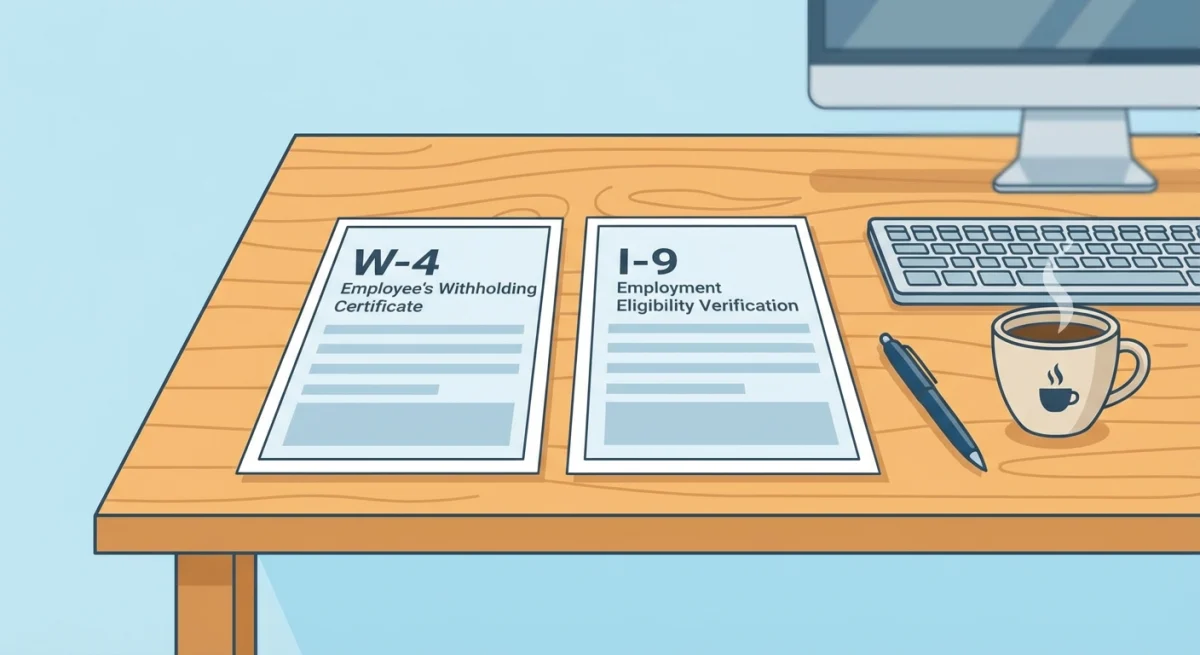
- Form W-4 — determines federal income tax withholding
- Form I-9 — verifies employment eligibility
- State W-4 equivalent (if your state has income tax)
- Direct deposit authorization with bank routing and account numbers
- Personal details — full legal name, SSN, address, date of birth
How to Classify Your Workers Correctly
Getting worker classification wrong is one of the most expensive payroll mistakes a small business can make. The IRS draws a sharp line between employees and independent contractors, and misclassifying someone can trigger back taxes, penalties, and interest.
Employees receive a W-2 at year's end. You withhold taxes from their pay, contribute to Social Security and Medicare on their behalf, and pay unemployment taxes. You control how they do their work, when they do it, and typically provide the tools they use.
Independent contractors receive a 1099-NEC. They handle their own taxes, set their own hours, and use their own equipment. You pay them for the result of their work, not the process.
The Department of Labor's economic reality test considers six factors: opportunity for profit or loss, investment in equipment, permanence of the relationship, degree of control, whether the work is integral to the business, and the worker's skill and initiative.
Rule of thumb: If you control what gets done and how it gets done, that person is an employee—regardless of what your contract says.
Step 1: Choose a Pay Schedule
Your pay schedule determines how often employees receive paychecks. Each option has trade-offs for cash flow, administrative burden, and employee satisfaction.
| Schedule | Frequency | Paychecks/Year | Best For |
|---|---|---|---|
| Weekly | Every week | 52 | Hourly workers, construction, restaurants |
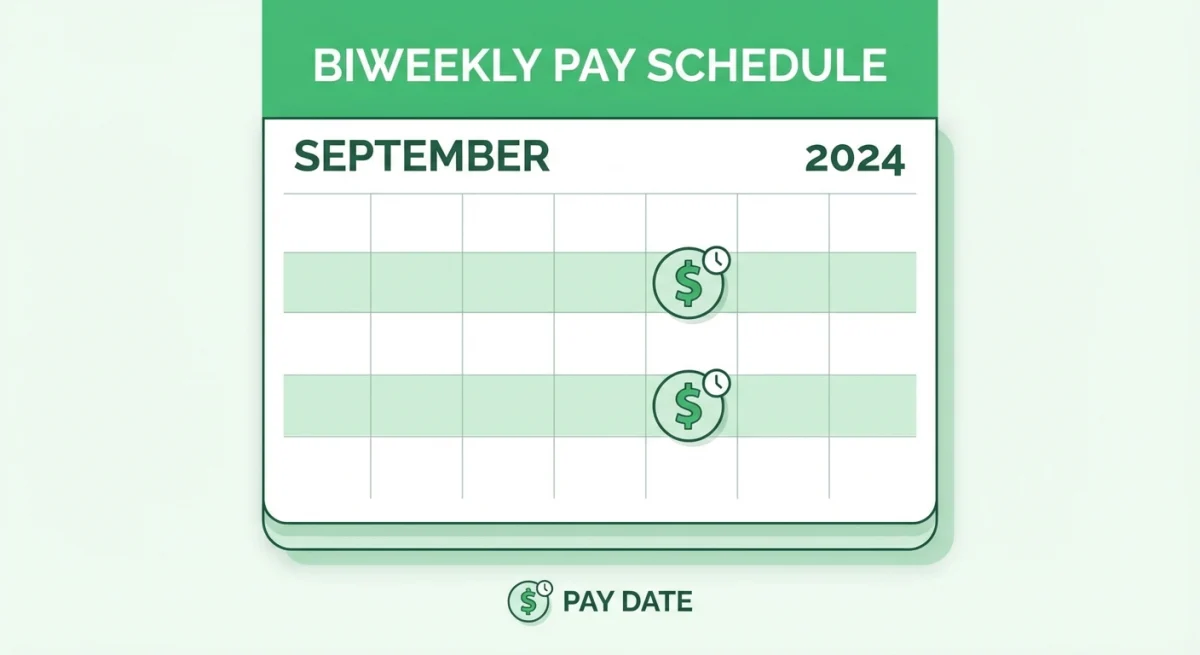
| Biweekly | Every two weeks | 26 | Most small businesses |
| Semi-monthly | 1st and 15th | 24 | Salaried employees |
| Monthly | Once per month | 12 | Executive teams, very small companies |
Biweekly is the most common choice for small businesses, according to the Bureau of Labor Statistics. It balances administrative effort with employee expectations.
Some states have laws dictating minimum pay frequency. California, for example, requires semi-monthly or more frequent pay for most employees. Check your state's requirements before committing to a schedule.
Step 2: Calculate Gross Pay
Gross pay is what your employee earns before any deductions. The calculation depends on whether they're hourly or salaried.
For hourly employees:
Hours worked × hourly rate = regular pay. Any hours over 40 in a workweek must be paid at 1.5× the regular rate under the Fair Labor Standards Act.
Example: An employee works 45 hours at $20/hour.
- Regular: 40 × $20 = $800
- Overtime: 5 × $30 = $150
- Gross pay: $950
For salaried employees:
Annual salary ÷ number of pay periods = gross pay per period.
Example: A $60,000 salary on a biweekly schedule.
- $60,000 ÷ 26 = $2,307.69 per pay period
Don't forget to add bonuses, commissions, or tips to gross pay before calculating withholdings. These are all taxable income.
Step 3: Determine Tax Withholdings and Deductions
This is where payroll gets complex. Every paycheck requires multiple calculations, and each one must be accurate.
Federal Income Tax
Use the employee's W-4 and the IRS Publication 15-T tax tables to calculate federal withholding. The amount depends on filing status, pay frequency, and any adjustments the employee claimed.
FICA Taxes (Social Security + Medicare)
- Social Security: 6.2% of gross pay (you match another 6.2%)
- Medicare: 1.45% of gross pay (you match another 1.45%)
- Additional Medicare: 0.9% on wages over $200,000 (employee only)
Total FICA cost to you as employer: 7.65% on top of every dollar you pay.
State and Local Taxes
Requirements vary wildly. Nine states have no income tax at all. Others have flat rates, progressive brackets, or local taxes on top of state taxes. Check with your state's Department of Revenue.
Other Deductions
- Health insurance premiums (pre-tax)
- Retirement contributions (401k, SIMPLE IRA)
- Garnishments (child support, student loans, tax levies)
- Voluntary deductions (life insurance, HSA contributions)
Pre-tax deductions reduce taxable income. Post-tax deductions come out after taxes are calculated. The order matters for compliance.
Step 4: Calculate Net Pay and Distribute
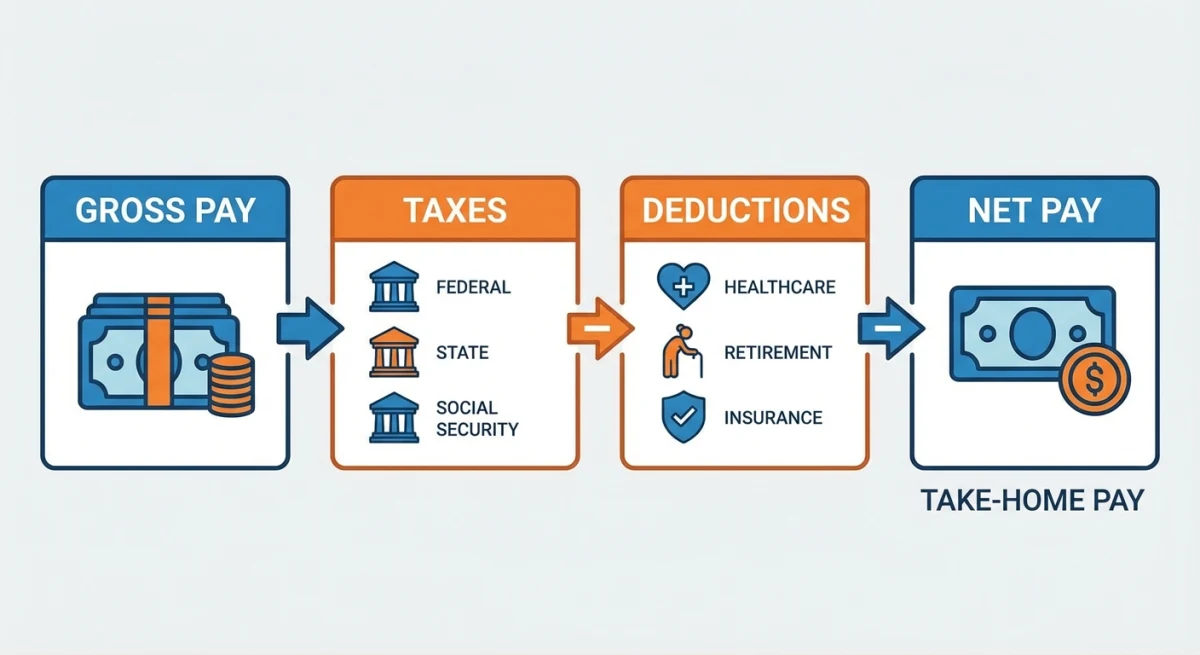
Net pay = Gross pay − all tax withholdings − all deductions.
This is the amount that hits your employee's bank account (or appears on their physical check).
Most small businesses use direct deposit. It's faster, cheaper, and eliminates the risk of lost checks. Setting it up requires your employee's bank routing number and account number, plus enrollment with your bank or payroll provider.
Pay stub requirements: Most states require you to provide a detailed pay stub showing gross pay, all withholdings, deductions, and net pay. Even if your state doesn't require it, providing pay stubs is a best practice that reduces employee questions and protects you in disputes.
Step 5: File Payroll Taxes and Reports
Running payroll doesn't end when employees get paid. You have ongoing filing obligations that carry serious penalties if missed.
| Filing | Frequency | Deadline | Form |
|---|---|---|---|
| Federal income + FICA deposits | Semi-weekly or monthly | Based on deposit schedule | EFTPS |
| Quarterly federal tax return | Quarterly | End of month after quarter | Form 941 |
| Federal unemployment (FUTA) | Annually | January 31 | Form 940 |
| W-2s to employees | Annually | January 31 | Form W-2 |
| State income tax deposits | Varies by state | Check state rules | State form |
| State unemployment (SUTA) | Quarterly (usually) | Varies | State form |
Don't miss EFTPS deposits. The IRS charges a 2–15% penalty on late payroll tax deposits depending on how late they are. If you're more than 15 days late, the penalty jumps to 10%. After an IRS notice, it hits 15%.
Manual vs. Automated Payroll
You have three main options for processing payroll, each with different costs and complexity levels.
Option 1: DIY Manual Payroll
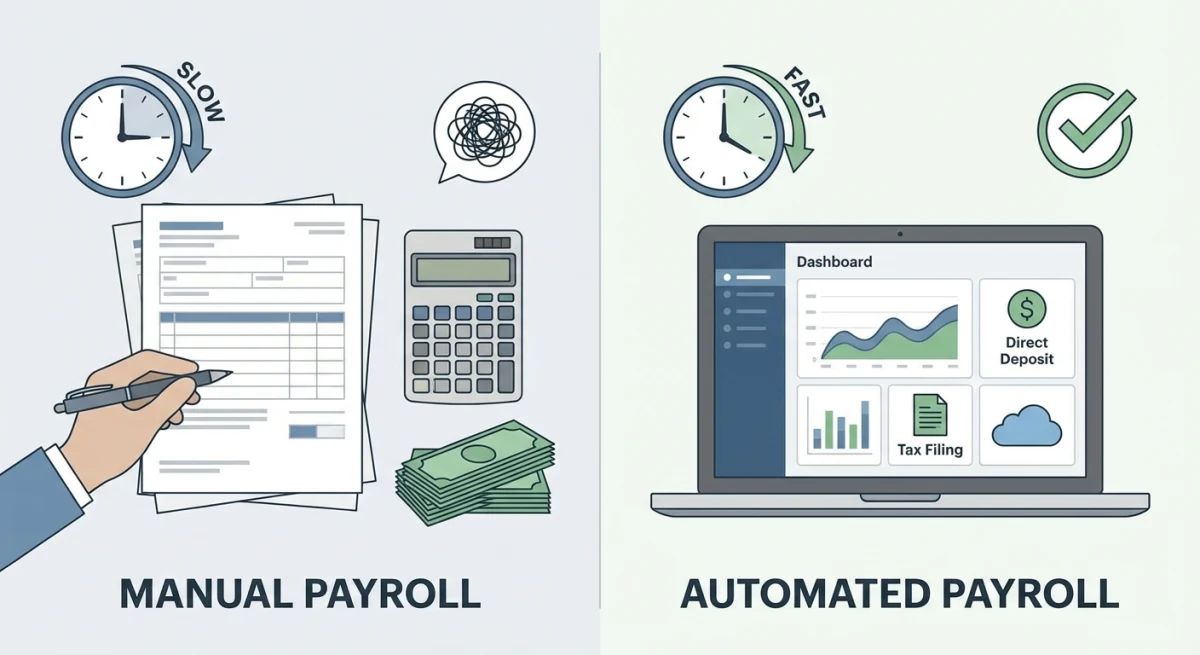
You calculate everything yourself using spreadsheets and IRS tax tables. Cost: essentially free (just your time). This works if you have 1–3 employees and a simple setup—all salaried, no benefits, one state.
The risk? One miscalculation compounds across every pay period. A founder running a 5-person startup told us she spent 6 hours every two weeks on manual payroll before switching to software. That's over 150 hours a year—almost a full month of work.
Option 2: Payroll Software
Services like Gusto, QuickBooks Payroll, or ADP handle calculations, tax filings, and direct deposits automatically. Pricing typically ranges from $40–$100/month base fee plus $6–$12 per employee per month.
This is the sweet spot for most small businesses with 5–50 employees. The software handles compliance updates, generates pay stubs, files quarterly returns, and sends W-2s.
Option 3: Outsource to a Payroll Service or Accountant
A full-service payroll provider or CPA handles everything. You submit hours, they do the rest. Costs run $150–$300/month for a 10-person company. Best for businesses with complex payroll needs—multiple states, union employees, or heavily regulated industries.
Common Payroll Mistakes to Avoid
After years of working with small business teams, these are the errors we see most often:
1. Missing tax deposit deadlines. The IRS doesn't care that you forgot. Set calendar reminders or use software that auto-files.
2. Misclassifying employees as contractors. This can result in back taxes, penalties, and even lawsuits from the Department of Labor.
3. Not tracking overtime correctly. The FLSA requires overtime for non-exempt employees working over 40 hours per week. "I didn't know they worked that much" isn't a defense.
4. Paying employees late. Many states impose penalties for late wage payments. California charges a full day's wages for each day pay is late, up to 30 days.
5. Forgetting state-specific requirements. New hire reporting, state disability insurance, paid family leave—requirements vary by state and change frequently.
6. Poor record keeping. The FLSA requires you to keep payroll records for at least three years. The IRS wants four years of tax records. Keep everything.
Record Keeping Requirements
Federal law requires you to maintain specific payroll records. Here's a checklist of what to keep and for how long:
- Employee personal information — name, address, SSN, date of birth (keep during employment + 3 years)
- Pay records — hours worked, pay rate, gross/net pay, deductions (keep 3 years per FLSA)
- Tax forms — W-4s, I-9s, quarterly 941s, annual 940s (keep 4 years per IRS)
- Time records — timesheets, attendance logs (keep 2 years minimum, 3 years recommended)
Keeping employee records organized is critical. Tools like Tiny Team's people management feature let you store employee details, compensation history, and documents in one place—so you're not digging through filing cabinets when the IRS comes knocking.
When to Outsource Payroll
Not every business needs to run payroll in-house. Consider outsourcing if:
- You operate in multiple states with different tax rules
- You have both W-2 employees and 1099 contractors
- You're spending more than 5 hours per pay period on payroll
- You've received an IRS penalty notice for payroll errors
- Your team is growing past 20 people and complexity is increasing
The cost of outsourcing (typically $50–$150/month for a small team) is almost always less than the cost of a single payroll mistake. According to the IRS, payroll tax penalties account for billions in assessments each year.
Payroll Compliance Checklist Template
Use this checklist every pay period to make sure nothing falls through the cracks:
Before each pay run:
- ☐ Collect and verify timesheets/hours
- ☐ Account for any new hires, terminations, or pay changes
- ☐ Check for overtime hours
- ☐ Verify PTO/sick leave balances (a team calendar helps track this)
During processing:
- ☐ Calculate gross pay for all employees
- ☐ Apply correct federal and state tax withholdings
- ☐ Deduct benefits, retirement contributions, and garnishments
- ☐ Verify net pay calculations
- ☐ Process direct deposits or print checks
After each pay run:
- ☐ Distribute pay stubs to employees
- ☐ Make federal and state tax deposits on time
- ☐ Update payroll records and employee files
- ☐ Reconcile payroll bank account
Quarterly:
- ☐ File Form 941 (federal)
- ☐ File state quarterly returns
- ☐ Review worker classifications
- ☐ Reconcile year-to-date totals
Annually:
- ☐ Distribute W-2s and 1099s by January 31
- ☐ File Form 940 (FUTA)
- ☐ Review and update pay rates
- ☐ Audit payroll records for completeness
Frequently Asked Questions
How much does it cost to run payroll for a small business?
DIY payroll costs nothing beyond your time, but most small businesses spend $40–$150/month on payroll software. Full-service outsourcing runs $150–$300/month for a 10-person company. The real cost to consider is the time investment—manual payroll for 10 employees takes 4–8 hours per pay period.
Can I run payroll myself without software?
Yes, but it's risky for businesses with more than a few employees. You'll need to manually calculate tax withholdings using IRS Publication 15-T, track deposit schedules, file quarterly returns, and stay current on changing tax rates. One mistake can cascade across multiple pay periods.
How often do I need to pay employees?
It depends on your state. Most states require at least semi-monthly pay, though some allow monthly. Check your state's pay frequency laws before setting a schedule. The most common choice for small businesses is biweekly.
What happens if I make a payroll tax mistake?
The IRS charges penalties ranging from 2% to 15% of the unpaid amount, depending on how late the deposit is. You can correct errors on your next quarterly Form 941 filing or by filing Form 941-X. For state taxes, contact your state revenue department—most offer correction processes.
Do I need to run payroll if I'm the only employee (sole proprietor)?
Sole proprietors don't technically run payroll for themselves—you take owner's draws and pay self-employment tax quarterly via estimated tax payments. However, if you've formed an S-corp, you must pay yourself a reasonable salary through payroll.
What payroll records am I legally required to keep?
The FLSA requires three years of payroll records including employee name, hours worked, pay rate, and total wages. The IRS requires four years of employment tax records. Keep W-4s, I-9s, and employee documents organized and accessible in case of an audit.
Running payroll doesn't have to be overwhelming. Start with the right setup—correct classifications, proper tax registrations, and organized employee records. Whether you go DIY, use software, or outsource entirely, the key is consistency and accuracy every single pay period.
Check out our guide to the best HR software for small businesses and new hire onboarding checklist to round out your people operations.