Remote team management is the practice of leading, coordinating, and supporting employees who work from different locations instead of a shared office. For small teams of 5–100 people, getting this right means the difference between a thriving distributed company and a disorganized group of individuals working in silos.
If you're a founder or operations manager running a remote team, this guide walks you through the real challenges, proven strategies, and practical tools you need — without the enterprise fluff.

Why Remote Team Management Is Different for Small Teams
Large companies throw money at remote work problems. They hire remote work consultants, buy enterprise platforms, and create entire departments for "employee experience." Small teams don't have that luxury.
When you're managing 8 or 30 remote employees, you're likely the founder, the HR department, and the team lead rolled into one. That changes everything about how you approach remote management.
A 15-person startup in Portland discovered this the hard way. Their founder spent 12 hours a week just coordinating across time zones, tracking PTO requests via Slack messages, and chasing down paperwork. That's nearly a third of a workweek lost to administrative overhead that an office environment handles naturally.
The core challenge isn't technology — it's the absence of ambient information. In an office, you overhear conversations, notice when someone looks stressed, and casually bump into teammates at lunch. Remote work strips all of that away, and small teams feel the loss more acutely.
The Biggest Remote Team Management Challenges
Before jumping into solutions, it helps to name the problems honestly. According to Buffer's State of Remote Work report, the top challenges for remote workers include communication difficulties, loneliness, and the inability to unplug.
Here's how those challenges hit small teams specifically:
| Challenge | Why It's Worse for Small Teams |
|---|---|
| Communication gaps | No dedicated comms manager; messages fall through cracks |
| Isolation & loneliness | Fewer teammates means fewer natural social interactions |
| Time zone coordination | Can't afford overlap-only hiring; you need the best person regardless of location |
| Performance visibility | No middle managers to track day-to-day progress |
| HR & compliance | Employment laws vary by state and country; no legal team to sort it out |
| Onboarding new hires | No HR department to run structured orientation programs |
Understanding these challenges is the first step. The rest of this guide addresses each one with actionable strategies.
Building a Communication System That Actually Works
Communication is the backbone of remote team management. But "communicate more" is terrible advice — what you need is a communication system.

The Three-Layer Communication Framework
Think of remote communication as three distinct layers, each with its own tools and rhythms:
Layer 1: Async-first (daily work). This is where 80% of communication should happen. Written messages in Slack, Notion docs, or project management comments. No expectation of an immediate reply. Set a norm: respond within 4 hours during your working day.
Layer 2: Scheduled sync (weekly rhythm). One team standup per week. One 1:1 between each person and their manager every two weeks. Keep meetings under 30 minutes. Always share an agenda 24 hours in advance.
Layer 3: Real-time (urgent only). Phone calls, quick huddles, or the "urgent" tag in your messaging tool. Reserve this for genuine blockers or emergencies. If everything feels urgent, nothing is.
Sample Communication Charter
Here's a fill-in-the-blank template you can adapt for your team:
[Company Name] Communication Guidelines
- Default mode: Asynchronous (Slack / email)
- Expected response time: Within _____ hours during working hours
- Meetings: Scheduled at least _____ hours in advance with an agenda
- Urgent issues: Use [channel/method] — defined as [your definition]
- Quiet hours: No notifications expected between _____ PM and _____ AM local time
- Weekly sync: Every [day] at [time] UTC
- 1:1 cadence: Every [frequency] between reports and managers
Post this somewhere permanent — a shared doc, your internal knowledge base, or pinned in your team channel.
Essential Tools for Managing Remote Employees
You don't need 15 different SaaS subscriptions. Small remote teams work best with a focused stack that covers the essentials without overlap.
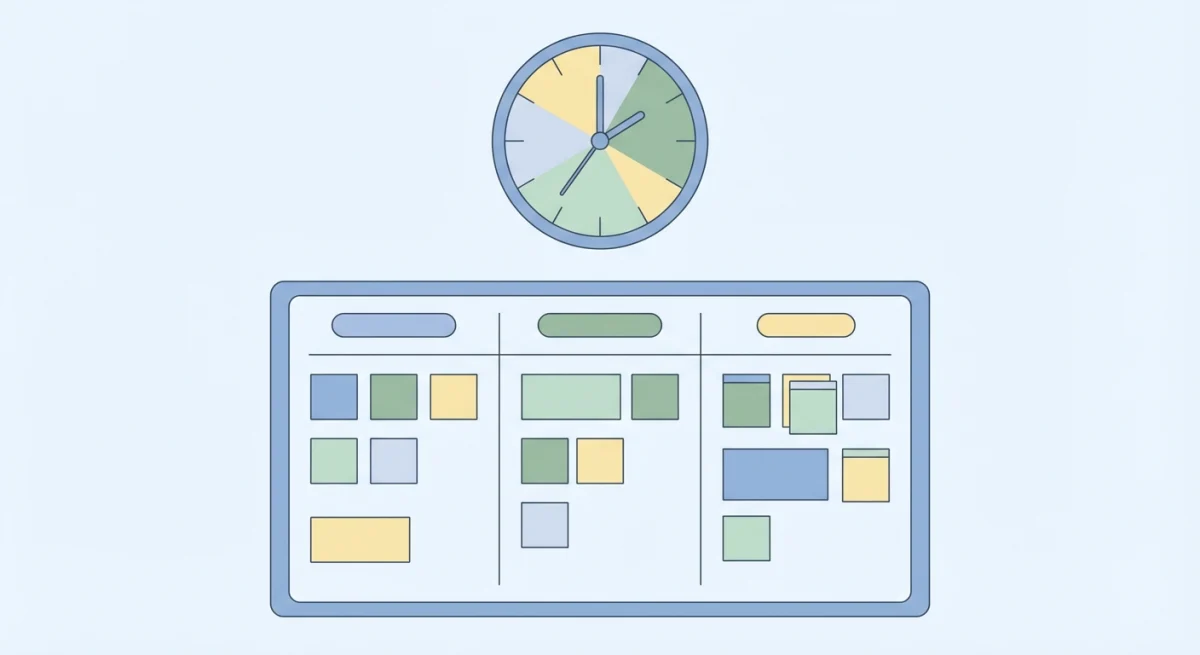
The Small Team Remote Stack
| Category | What You Need | Popular Options |
|---|---|---|
| Messaging | Async chat + channels | Slack, Discord, Microsoft Teams |
| Video calls | Weekly syncs, 1:1s | Zoom, Google Meet, Around |
| Project management | Task tracking, deadlines | Linear, Asana, Notion |
| Documentation | Knowledge base, SOPs | Notion, Confluence, GitBook |
| HR & people ops | PTO tracking, directory, onboarding docs | Tiny Team, BambooHR, Gusto |
| File storage | Shared documents | Google Drive, Dropbox |
The biggest mistake small teams make is over-tooling. Every new tool adds cognitive overhead. Before adding anything, ask: "Can an existing tool handle this 80% as well?" If yes, skip it.
For HR specifically, small remote teams often cobble together spreadsheets for PTO tracking, shared folders for employee documents, and email chains for onboarding. That works until it doesn't — usually around the 10-employee mark. That's when a dedicated people management platform starts saving more time than it costs.
Building Remote Team Culture (Without Forced Fun)
Culture doesn't happen by accident in a remote environment. But it also doesn't happen through mandatory virtual happy hours that everyone secretly dreads.

Real remote culture comes from three things: shared context, psychological safety, and visible rituals.
Shared context means everyone knows what's happening across the company — not just in their silo. A weekly written update (think 5-minute read, not a novel) from leadership goes a long way. Use a company timeline where team members can share wins, updates, and even personal milestones.
Psychological safety means people feel comfortable saying "I don't know," admitting mistakes, and asking for help. As a manager, you model this. Share your own mistakes openly. Thank people publicly when they flag problems early. According to Harvard Business Review research, teams with high psychological safety consistently outperform those without it.
Visible rituals are the small, repeated touchpoints that create belonging:
- Monday kickoffs where everyone shares one personal thing and one work priority
- A "wins" channel where people celebrate shipped work, big or small
- Monthly virtual coffee pairings (random 1:1s between teammates who don't normally work together)
- Quarterly retrospectives where the whole team reflects on what's working
The key word is visible. In an office, culture is ambient. Remote teams need to make it explicit.
Performance Tracking for Remote Teams
"How do I know people are actually working?" is the wrong question. The right question is: "How do I know we're making progress toward our goals?"

Surveillance software (keystroke loggers, screenshot timers, activity trackers) destroys trust and drives away good people. According to the Society for Human Resource Management (SHRM), employee monitoring often decreases productivity rather than increasing it. Instead, focus on output-based performance management.
Output-Based Performance Framework
Step 1: Set clear deliverables. Every team member should know their top 3 priorities for the week. Write them down. Share them publicly in your Monday standup or async check-in.
Step 2: Track progress, not hours. Use your project management tool to visualize what's moving. A task that sits in "in progress" for two weeks is a signal — not a crime, but a conversation starter.
Step 3: Run lightweight 1:1s. Every two weeks, 25 minutes. Three questions: What went well? What's blocking you? What do you need from me? Document takeaways and follow up.
Step 4: Structured reviews. Quarterly or semi-annual performance reviews give the bigger picture. Combine self-assessments with manager evaluations and peer feedback. Keep them focused on growth, not just grading.
Weekly Check-In Template
Use this async template (post in your team channel every Monday):
Name: _____ Top 3 priorities this week:
Completed last week: _____ Blocked on: _____ Need help with: _____
This takes 5 minutes to fill out and gives managers complete visibility without micromanaging.
Managing Different Time Zones
Time zone management is one of the most underrated challenges in remote team management. A 4-hour overlap between your earliest and latest team members can work beautifully — or become a constant source of friction.
The Overlap Window Strategy
Instead of forcing everyone into the same hours, identify a 2–3 hour daily overlap window where synchronous collaboration happens. Everything outside that window is async.
Here's how a 12-person team spread across US Eastern, Central European, and Southeast Asian time zones might structure their day:
| Time Zone | Working Hours | Overlap Window (13:00–15:00 UTC) |
|---|---|---|
| US Eastern (UTC-5) | 9 AM – 5 PM | 8 AM – 10 AM local |
| Central Europe (UTC+1) | 9 AM – 5 PM | 2 PM – 4 PM local |
| Southeast Asia (UTC+7) | 9 AM – 5 PM | 8 PM – 10 PM local |
Notice that the Southeast Asian team member has the overlap in their evening. Rotate meeting times monthly so the burden doesn't always fall on the same people. This is a fairness issue that many teams overlook.
Document all meeting times in UTC on a shared team calendar so there's never confusion about when something starts.
HR Management for Distributed Teams
Running HR for a distributed team is harder than it looks. Employment laws, tax obligations, and compliance requirements vary by location. Even within the United States, each state has different rules about PTO accrual, expense reimbursement, and employment classification.
Here's a compliance checklist for remote-first small teams:
- Verify employment classification (W-2 vs 1099 / employee vs contractor) for every team member
- Register for state/local taxes in jurisdictions where you have employees
- Create location-appropriate offer letters and employment agreements
- Set up PTO policies that comply with local regulations (some states require PTO payout at termination)
- Maintain a secure, centralized employee directory with up-to-date contact info, emergency contacts, and documents
- Track equipment and assets assigned to each remote worker
For guidance on employment law specifics, the U.S. Department of Labor and SHRM's compliance resources are essential references.
As your team grows, managing all this in spreadsheets becomes risky. A single HR platform that centralizes employee data, tracks time off, and stores documents can eliminate hours of weekly administrative work — and reduce compliance mistakes.
Remote Team Security & Compliance
When your team works from home offices, coffee shops, and co-working spaces, your attack surface expands dramatically. Small teams are especially vulnerable because they often lack dedicated IT security staff.
The basics every remote team should implement:
- Password manager for the whole team. 1Password or Bitwarden. Non-negotiable. Shared vaults for team credentials, individual vaults for personal ones.
- Two-factor authentication on everything. Email, Slack, cloud storage, HR systems, banking — all of it.
- VPN for sensitive work. Not for everyday browsing, but for accessing internal systems or handling sensitive data.
- Device policies. Require disk encryption (FileVault on Mac, BitLocker on Windows). Set auto-lock to 5 minutes. Document this in your employee handbook.
- Offboarding checklist. When someone leaves, revoke access to every system within 24 hours. Maintain a master list of all tools and accounts to make this possible.
Remote Team Meeting Best Practices
Meetings are the biggest time sink in remote work. The solution isn't eliminating them — it's making every meeting earn its place on the calendar.
The 3-rule meeting test: Before scheduling any meeting, it must pass all three:
- Does this require real-time discussion? (If not, write an async doc.)
- Is there a clear agenda with specific outcomes? (If not, draft one first.)
- Does every attendee need to be there? (If not, trim the list.)
Meeting rhythm for a 10–25 person remote team:
- Monday: 15-minute all-hands standup (async written updates + 5-minute video recap from leadership)
- Wednesday: Team-specific syncs as needed (25 minutes max)
- Bi-weekly: 1:1s between managers and direct reports (25 minutes)
- Monthly: All-hands retrospective (45 minutes)
- Quarterly: Strategy review and team-building activity (90 minutes)
Record every meeting and share the recording. Someone will always be in a different time zone or out sick. Making recordings available is a basic respect for people's time.
Frequently Asked Questions
How do you manage a remote team with no experience?
Start with three fundamentals: set clear expectations for communication (response times, meeting cadence, async-first culture), establish weekly 1:1s with every direct report, and pick one project management tool the whole team commits to using. You don't need to be a remote work expert — you need consistent systems. The Harvard Business Review's guide to remote management is an excellent starting point for first-time remote managers.
What tools do small remote teams actually need?
At minimum: a messaging platform (Slack or Teams), a video call tool (Zoom or Meet), a project tracker (Linear, Asana, or Notion), and an HR system for PTO, employee records, and onboarding documents. Most teams under 50 people can run effectively with 4–6 core tools. Adding more creates fragmentation and "tool fatigue."
How do you track remote employee performance without micromanaging?
Focus on outcomes, not activity. Set weekly deliverables, track progress in a shared project board, and run regular 1:1s to discuss blockers. Avoid surveillance software — it signals distrust and drives away top performers. Instead, build a culture where people share their work visibly and ask for help early.
How often should remote teams have meetings?
For teams of 10–25, aim for one 15-minute all-hands per week, team-specific syncs as needed (never more than twice a week), and bi-weekly 1:1s. The goal is roughly 2–4 hours of meetings per person per week, maximum. Everything else should be async.
What's the best way to onboard remote employees?
Create a structured onboarding checklist that covers the first 30 days: tools setup, key documents to read, introductory 1:1s with teammates, and a dedicated onboarding buddy. Store everything in a centralized knowledge base so new hires can self-serve. The biggest mistake is assuming people will "figure it out" — in a remote environment, that leads to weeks of confusion.
How do you handle time zones in a remote team?
Identify a 2–3 hour daily overlap window for synchronous work. Schedule all meetings within that window and rotate meeting times monthly so the same people aren't always inconvenienced. Default to async communication outside the overlap. Document everything in UTC on a shared calendar to avoid confusion.