Paycom pricing is quote-based. Most third-party estimates land around $25 to $36 per employee per month (PEPM). On top of that, you pay a one-time setup fee of roughly 15% to 30% of your annual contract. Paycom does not publish a public price list. So the real number depends on your team size, the modules you turn on, and how hard you negotiate.
That makes Paycom hard to budget for. This is especially true if you run a small team and mostly need core HR, not a full payroll-and-benefits engine. This guide breaks down the likely costs with clear math for 15, 50, and 100 employees. It also explains the fees most buyers miss. And it shows where a lighter, flat-rate tool can save you thousands.
How Paycom pricing works
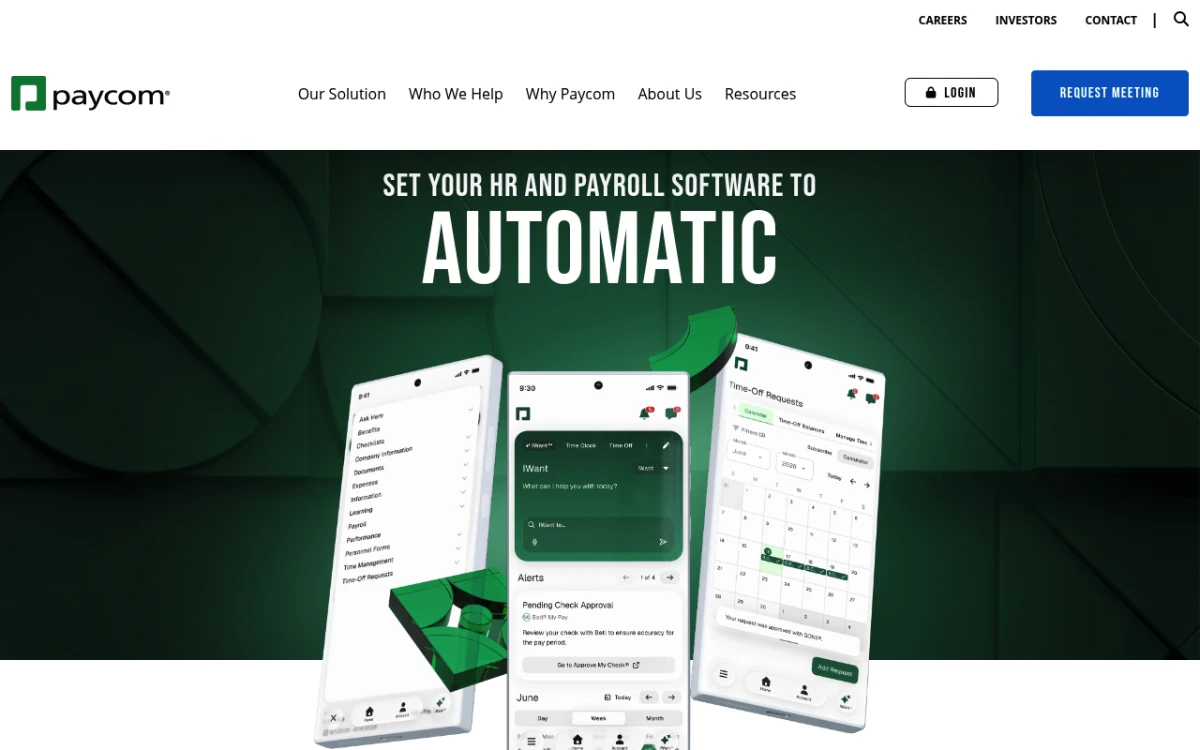 Paycom markets a single all-in-one HCM platform — pricing is quote-only and never listed on the site.
Paycom sells one all-in-one HR system. The category name is human capital management, or HCM. Instead of buying payroll here and an HR tool there, you license a single platform. It covers payroll, benefits, time tracking, hiring, and reporting in one place.
Pricing follows a per-employee-per-month model. There is also a per-pay-period charge underneath it. Sales reps usually quote you one blended PEPM rate. That makes it easier to compare Paycom to other vendors. The catch is that the rate is never on the website. You request a demo, share your team size and module wishlist, and a salesperson builds a custom quote.
Three things move the number the most:
- Team size. Bigger teams get better per-employee rates. A 500-person company pays a lower PEPM than a 25-person one.
- Modules. Payroll is the core. But onboarding, performance, learning, scheduling, and benefits each add cost.
- Setup. Data migration, setup, and training are billed as a separate one-time fee. They are not folded into the monthly rate.
Because the model is quote-only, two firms of the same size can pay very different amounts. Want to see how other payroll-first vendors set this up? Our breakdowns of Gusto pricing and Rippling pricing use the same per-employee logic. They make good comparison points.
Estimated PEPM costs and implementation fees
Across independent pricing guides, the estimate is steady: $25 to $36 PEPM. Outsail and Software Finder both land in that range. Both also note that the payroll-only cost is roughly half the full-suite PEPM once you strip out add-on modules.
On top of the monthly rate sits the setup fee. Most sources put it at 15% to 30% of your annual software spend, charged once. On a $100,000 annual contract, that is a $15,000 to $30,000 bill. You pay it before you process your first paycheck.
Here is rough sample math at the midpoint of the range, about $30 PEPM. Use it to sanity-check any quote you get:
| Team size | Est. monthly cost | Est. annual cost | Likely implementation fee |
|---|---|---|---|
| 15 employees | ~$450/mo | ~$5,400/yr | ~$800–$1,600 |
| 50 employees | ~$1,500/mo | ~$18,000/yr | ~$2,700–$5,400 |
| 100 employees | ~$3,000/mo | ~$36,000/yr | ~$5,400–$10,800 |
These are estimates, not quotes. Smaller teams often pay toward the high end of the range. They lack the volume leverage that big firms use to negotiate. So a 15-person company could easily see $36 PEPM rather than $30. Treat the table as a starting point. Then test any real quote against it.
Sample cost math for 15, 50, and 100 employees
Numbers in a table are easy to skim past. So let us walk through three real scenarios. Each one adds the year-one setup fee to the monthly cost, since that is where small teams get caught off guard.
Scenario 1: a 15-person startup. At the high end of the range, you might land near $36 PEPM. That is about $540 a month, or $6,480 a year. The setup fee on a contract that size could run $1,000 to $1,900. So your first year totals roughly $7,500 to $8,400. Every year after that is about $6,480, before any price increases. For a 15-person team that mainly needs an employee directory, PTO tracking, and reviews, that is a lot of money for a payroll-grade engine.
Scenario 2: a 50-person company. At a blended $30 PEPM, you are looking at about $1,500 a month, or $18,000 a year. Setup on that contract often falls between $2,700 and $5,400. So year one lands near $20,700 to $23,400. At this size the full suite starts to earn its keep, especially if you use payroll, benefits, and time tracking together. If you only use payroll and a bit of HR, though, the math still looks steep.
Scenario 3: a 100-person firm. With more volume to negotiate, you might pull the rate down toward $28 PEPM. That is about $2,800 a month, or $33,600 a year. Setup could run $5,000 to $10,000. So year one totals roughly $38,600 to $43,600. A company this size usually has dedicated HR and finance staff who can run a deep system and get value from it.
The pattern is clear. Paycom gets more cost-effective per person as you grow. It is least efficient for the smallest teams. That is the exact opposite of how flat-rate pricing behaves, which we cover below.
What features are typically bundled
Paycom's main selling point is breadth. When you buy in, you get a deep menu of modules. Which ones are active depends on what you license:
- Payroll and tax — full processing, tax filing, garnishments, and the Beti self-service tool. Beti has employees check their own paychecks before submission, which cuts down on errors.
- Benefits administration — open enrollment, COBRA, ACA reporting, and 401(k) reporting.
- Time and labor — time clocks, scheduling, time-off requests, and labor tracking.
- Talent acquisition — applicant tracking, onboarding, background checks, and E-Verify.
- Talent management — performance reviews, pay budgeting, a learning system, and succession planning.
- Expense management — employee expense tracking and reimbursement in the same system.
This is a wide feature set. If your company needs payroll, benefits, and time tracking on one platform, Paycom delivers that without stitching tools together. The tradeoff is simple. You pay for the whole engine even when you only drive a few of its parts.
For a small team, that is the core question. Are you using enough of the suite to justify the price? Many small companies turn on payroll and a couple of HR modules, then leave the rest idle. If that sounds like you, much of the bill goes to capacity you never touch.
Hidden fees, contract terms, and integration tradeoffs
The sticker PEPM is rarely the full story. A few line items tend to surprise buyers.
Setup is separate and large. As covered above, expect a one-time fee of 15% to 30% of annual spend. For a small team that can be a four-figure charge before you get any value.
Modules are priced one by one. The base quote often covers payroll and core HR. Adding learning, surveys, or advanced scheduling can push the PEPM up. Always ask for an itemized quote. That way you know what each module costs.
Paycom likes its own closed system. The platform is built to be your single source of truth. That is great for consistency. But it limits links to outside tools. If you rely on other best-in-class apps, confirm the connections you need exist before you sign.
Contracts and renewals. Pricing is set per contract, and renewal rates can creep up. Lock in terms in writing. Ask about caps on yearly increases. Before you sign any HR software deal, it helps to know which features actually drive value for your size of team. SHRM keeps a useful library of HR technology and buying guidance worth a read.
For a plain-English primer on how all-in-one HR systems work and what to check before buying, see our guide to what an HRIS is.
Paycom vs ADP, Gusto, and Tiny Team on price
Paycom sits at the premium end of the payroll-led HCM market. Here is how it compares on pricing model and fit:
| Platform | Pricing model | Rough cost | Best fit |
|---|---|---|---|
| Paycom | Quote-only PEPM + implementation | ~$25–$36 PEPM | Mid-market (50–750), payroll-heavy |
| ADP | Quote-only, tiered bundles | Custom, often $25+ PEPM | Compliance-heavy, all sizes |
| Gusto | Public base + per-person | $40+/mo base + ~$6–$12/person | Small business payroll |
| Tiny Team | One-time lifetime modules | One-time lifetime module pricing; see current prices | Core HR for teams up to 50, no payroll |
Here is the key difference. Paycom and ADP are payroll-first platforms. They bill per employee and add setup fees. Gusto is friendlier to small businesses on payroll, but it still scales per person. Tiny Team is not a payroll processor at all. It is the lightweight HR side of the stack: directory, PTO, documents, hiring, and reviews. It is sold at a one-time module price.
That difference matters most for small teams. A 25-person company at $30 PEPM pays Paycom roughly $9,000 a year, and that is before setup fees. Tiny Team offers one-time lifetime access to HR and Document Spaces per organization. Choose one module or buy several in a single payment. Each module has its own 30-day free trial, starting when you activate it. No credit card, automatic charges or per-person fees. See current module pricing. They then run payroll through a separate provider of their choice. It is a different shape of purchase, not a like-for-like swap. For a wider field, our roundup of the best HR software for small business compares both approaches.
Paycom pros and cons
Price is only half the buying decision. Here is a quick, honest read on where Paycom shines and where it frustrates buyers.
Pros:
- One system for everything. Payroll, benefits, time, and talent live in one place. That cuts down on double entry and tool sprawl.
- Beti self-service payroll. Having employees verify their own paychecks before submission is a genuine way to catch errors early.
- Deep reporting. The Report Center gives HR and finance teams strong, customizable workforce data.
- Strong compliance tooling. ACA, COBRA, and tax filing are handled inside the platform.
Cons:
- No public pricing. You cannot compare Paycom without a sales call, which slows down research.
- High setup cost. The one-time fee can be a real burden for a small team.
- Built for a closed ecosystem. Third-party integrations are limited, so best-in-class outside tools may not connect cleanly.
- Overkill for small teams. If you do not need payroll and benefits in one suite, you pay for a lot you will not use.
None of these are dealbreakers for the right buyer. They simply explain why Paycom fits mid-market firms better than five-person startups.
Who Paycom is best for
Paycom is a strong fit when its breadth matches a real need:
- Mid-market companies (50–750 employees) that want payroll, benefits, and HR on one platform.
- Teams that value self-service payroll. Beti has employees check their own paychecks, which cuts errors. It is a real edge over many rivals.
- Firms with dedicated HR and finance staff who can run a deep system and justify the setup cost.
It is a weaker fit when:
- You have fewer than 50 employees and mostly need core HR, not a full payroll-and-benefits suite.
- You want clear, set pricing without a sales call.
- You already have payroll handled and just need a directory, PTO tracking, documents, and reviews.
See your team in that second list? Then you are paying enterprise prices for capacity you will not use.
Lower-cost alternatives for small teams
If Paycom feels oversized, a few options are worth a look. The right one depends on whether you need payroll bundled in.
If you need payroll plus light HR: Gusto keeps payroll simple and publishes its pricing, which is rare in this category. It scales per person, but it starts low and suits teams under 50 well.
If you want broad compliance coverage: ADP runs across every company size and is hard to beat on rules and filings. It is also quote-only, though, and carries its own setup costs.
If your real need is core HR, not payroll: a flat-rate tool like Tiny Team covers the people side of the stack. That means an employee directory, custom PTO policies, a team calendar, documents, a hiring pipeline, and performance reviews. Tiny Team's current module pricing offers one-time lifetime access per organization, with a separate 30-day free trial for each module. No card or automatic charges. Because it is not per-seat, adding people never raises the bill. You keep payroll wherever it already lives and stop paying PEPM rates for HR you could run far cheaper.
Want to test the waters first? Our list of free HR software and our BambooHR pricing breakdown are useful next reads. You can also estimate the true cost of a hire with our free employer payroll tax calculator before you commit to any platform.
Here is the honest takeaway. Paycom is a capable, premium system built for mid-market firms that truly need an all-in-one HCM. If that is you, the price can be worth it. If you are a small team that mainly needs core HR, you can almost certainly spend far less.
Frequently Asked Questions
How much does Paycom cost per employee?
Paycom does not publish list pricing. But independent estimates put it around $25 to $36 per employee per month (PEPM). The exact rate depends on your team size and which modules you license. Smaller teams usually pay toward the higher end. They lack the volume to win a discount.
Does Paycom charge an implementation fee?
Yes. Paycom charges a one-time setup fee, usually 15% to 30% of your annual software spend. On a $100,000 annual contract that is $15,000 to $30,000. You pay it before you run your first payroll. Always build this into year-one budgets.
Is Paycom pricing negotiable?
Often, yes. Because pricing is quote-based, the PEPM rate, module mix, and setup fee can all move during talks. Bigger teams have more leverage. Ask for an itemized quote and a cap on yearly renewal increases before you sign.
What is the cheapest alternative to Paycom for a small team?
It depends on what you need. For payroll plus light HR, Gusto publishes low starting prices. Tiny Team's current module pricing offers one-time lifetime access per organization, with a separate 30-day free trial for each module. No card or automatic charges. That is far cheaper for small teams that already handle payroll elsewhere.
Does Paycom include payroll in its base price?
Payroll is Paycom's core module and is in most quotes. But add-ons like a learning system, advanced scheduling, surveys, and expense management are usually priced apart. Confirm which modules are in your quote. That way the PEPM reflects what you will actually use.
Is Paycom worth it for a company under 50 employees?
For most small teams, no. Paycom's strength is broad, payroll-first HCM aimed at mid-market firms. If you have fewer than 50 employees and mainly need a directory, PTO tracking, documents, and reviews, you will likely pay enterprise rates for capacity you do not use. A lighter, lower-cost tool usually fits better.