This Paylocity review breaks down what the platform does, what it costs in 2026, and where it shines or stumbles for a small business. Paylocity is a full payroll and HR suite built for mid-sized firms, with strong culture tools and a steep learning curve. The short version: it is powerful and well-rated, but it is not the simplest or cheapest pick if your team is under 100 people.
We pulled together real user views from G2 and Capterra, public pricing data, and a feature-by-feature look at the product. Below you will find honest pros and cons, a side-by-side with ADP and Gusto, and a few alternatives worth a look if Paylocity feels like too much.
Paylocity at a Glance
Here is the quick summary if you only have 30 seconds.
| Best for | Mid-sized companies (50–500 employees) wanting payroll plus deep engagement tools |
| Pricing | Custom quote; roughly $18–$32 per employee per month, plus setup fees |
| Standout feature | Employee experience and communication ("Community") tools |
| Biggest drawback | Opaque pricing and a complex setup |
| G2 rating | :rating(4.4): |
| Capterra rating | :rating(4.4): |
Paylocity earns high marks. It holds a 4.4 out of 5 on both G2 and Capterra across more than a thousand reviews. The praise centers on its all-in-one scope and culture tools. The gripes center on pricing surprises, slow support, and a setup that can overwhelm a small team with no HR person.
What Is Paylocity?
Paylocity is a cloud-based HR and payroll platform that ties together payroll, core HR, talent, benefits, and time tracking in one system. Founded in 1997 and based near Chicago, it went public in 2014 and now serves tens of thousands of mid-market firms across the United States.
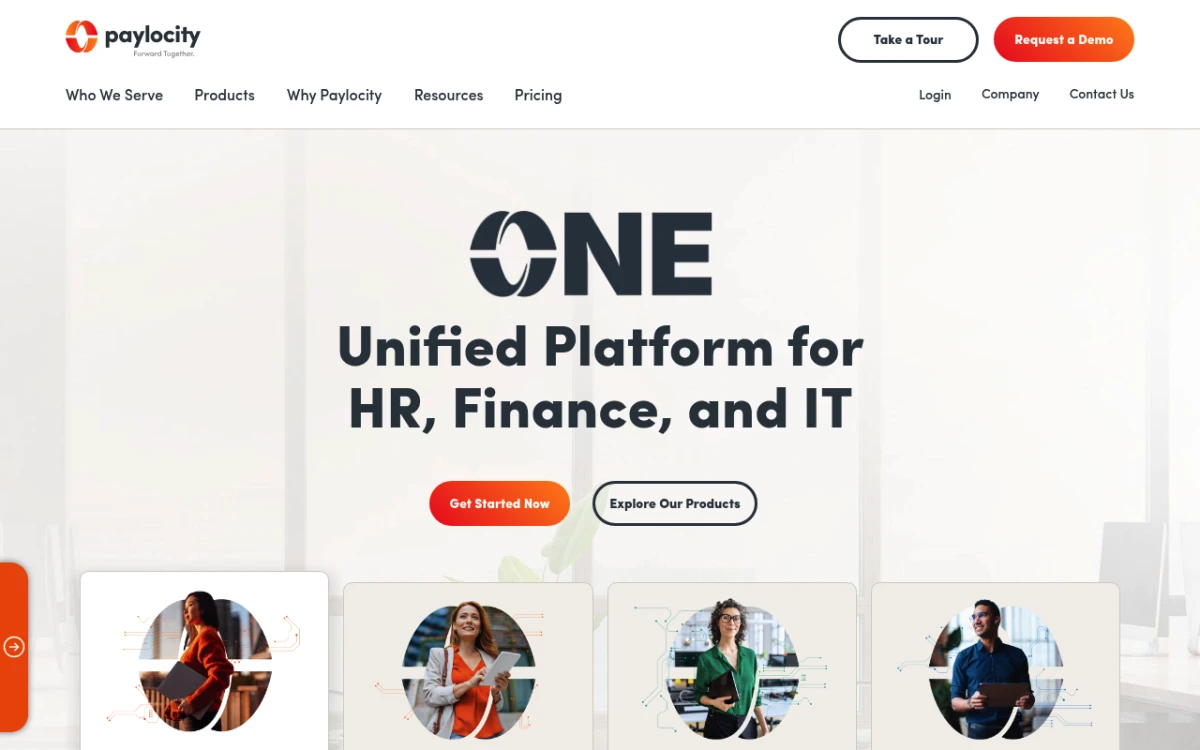
The Paylocity homepage, leading with its all-in-one HR and payroll platform.
The pitch is simple: put it all in one place. Instead of running payroll in one tool, tracking PTO in a spreadsheet, and sending news over email, you do it all inside Paylocity. Every worker gets a single profile that feeds payroll, benefits, and reports.
Where Paylocity tries to stand out is the "modern workforce" angle. It leans hard into team culture: a social-style news feed, peer praise, surveys, and built-in chat. The TechRadar review says this is one of its best areas. But the same review calls the platform complex enough that it suits HR teams with some experience.
Key Features
Paylocity sells its product as a set of modules. You can start with payroll and HR, then add talent, benefits, or time tracking as you grow. Here is what each piece does.
Payroll
Payroll is Paylocity's foundation. It handles automated payroll runs, tax filing in all 50 states, garnishments, direct deposit, and year-end W-2 and 1099 processing. It also offers on-demand pay, which lets employees access earned wages before payday.
Reviewers rate the payroll engine highly for accuracy once it is set up right. The catch, as several users note, is that the early setup is where mistakes creep in.
Core HR and Self-Service
The HR module is your system of record: staff profiles, document storage with e-signatures, org charts, and set workflows for onboarding and offboarding. Staff use a self-service portal to update details, view pay stubs, and request time off.
This is the layer most small teams care about, and it is solid. If you are weighing self-service tools across vendors, our guide to the best employee self-service portal tools covers what to look for.
Talent Management
The talent suite covers recruiting and an applicant tracking system (ATS), onboarding, performance reviews, goal setting, pay planning, and a learning system for training. It is a real upgrade over basic HR tools, and it is one reason mid-market buyers pick Paylocity over a payroll-only product.
Benefits Administration
Paylocity supports benefits sign-up, ACA reporting, open enrollment workflows, and carrier links. You can run it as a self-service broker model or use Paylocity's marketplace. For companies juggling health, dental, vision, and 401(k), tying sign-up to payroll saves real time.
Time and Labor
The time and attendance module includes scheduling, time clocks, geofencing, PTO tracking, and labor cost controls. It feeds hours straight into payroll, which removes a common source of manual error for teams with hourly staff.
Employee Experience (Community)
This is Paylocity's hallmark feature. "Community" is a social feed for company news, peer praise, surveys, and team chat. Think of it as a built-in intranet. Reviewers single this out as a high point, above all for remote or hybrid teams that want one home for culture and updates.
Paylocity Pricing (2026)
Here is the honest answer: Paylocity does not publish standard pricing. Like ADP and Paychex, it uses a per-employee-per-month (PEPM) model with a custom quote, so the number you get depends on your headcount, the modules you choose, and how hard you negotiate.
Based on third-party pricing research and user reports, the typical ranges look like this:
| Cost component | Typical range |
|---|---|
| Per employee, per month (full suite) | ~$18–$32 |
| Base HR/payroll only | ~$5+ per employee/month |
| Implementation / setup fee | One-time, often $200–$1,000+ |
| Minimum | Often quoted for 10+ employees |
A few things worth knowing before you ask for a quote:
- Modules stack. The base price covers payroll and core HR. Talent, benefits, and time tracking are add-ons that raise your per-employee cost.
- Setup fees are real. Several reviewers mention one-time setup charges that were not clear until they signed.
- Prices bend. Because every quote is custom, the "list" numbers are a starting point. End of quarter often brings better deals.
The lack of clear pricing is the single most common gripe in Paylocity reviews. Budgeting is harder when you cannot see a price before you talk to sales. You can dig into how these per-employee models add up in our Rippling pricing and BambooHR pricing guides, which both use the same module-stacking setup.
Paylocity Review: Pros (What Users Love)
Across G2 and Capterra, the same strengths show up in nearly every Paylocity review.
- All-in-one scope. Payroll, HR, hiring, benefits, and time live in one system, so you stop stitching tools together.
- Team culture tools. The Community feed, peer praise, and surveys are best-in-class for the mid-market and lift internal updates.
- Strong payroll accuracy. Once set up, payroll and tax filing run well.
- Quick support (when it works). Many reviewers praise sharp reps and a named account contact.
- Good value for mid-sized teams. Companies in the 50–500 range often feel the scope is worth the cost.
The praise and survey tools are worth calling out. If culture and retention matter to you, these tools do more than most rivals. Our guide to employee recognition programs explains why that helps retention.
Paylocity Cons (Common Complaints)
No tool is perfect, and Paylocity's weaknesses are consistent enough to take seriously.
Murky, sometimes surprising pricing. This is the loudest gripe. Hidden fees and surprise charges come up often, and the custom-quote model makes a fair side-by-side hard.
Patchy support. While many users praise support, just as many report slow reply times, tickets that drag on for weeks, and account reps who change often.
Complex setup. The rollout can take time and trips up teams with no HR or payroll person. Early setup mistakes can create lasting data issues.
Limited reports. Some users find the report builder tight, with limits on what data you can pull and how you can format it.
Too much for very small teams. Reviewers running 5–25 person firms often say the platform is more than they need, and the per-employee cost stings when you are tiny.
Who Is Paylocity Best For?
Paylocity fits a specific profile well.
It is a strong pick for mid-sized companies of roughly 50 to 500 staff that have someone owning HR and payroll, want culture and chat tools baked in, and are ready to invest in a full HR platform. If you run hourly staff across sites and need scheduling tied to payroll, it is a great fit.
It is a weaker fit for very small teams (under 25 people) with no HR person. The cost, setup, and feature depth can outpace what a founder doing HR on the side needs. If that is you, a lighter, flat-priced tool will often serve you better, and we cover those in our roundup of the best HR software for small business.
Paylocity vs ADP vs Gusto
Paylocity sits between two well-known rivals. ADP is the big, old-guard option with the deepest compliance and global reach. Gusto is the small-business favorite with clear pricing and an easy setup. Here is how they stack up.
| Paylocity | ADP | Gusto | |
|---|---|---|---|
| Best for | Mid-market (50–500) | Small to enterprise | Small business (1–50) |
| Pricing | Custom quote, PEPM | Custom quote, PEPM | Published, from ~$40/mo + $6/person |
| Pricing transparency | Low | Low | High |
| Payroll | Strong | Strongest | Strong, simple |
| Engagement tools | Best of the three | Limited | Limited |
| Ease of setup | Moderate to hard | Hard | Easy |
| Benefits | Yes | Yes | Yes |
| Rating (G2) | 4.4 | 4.1 | 4.5 |
The pattern is clear. Pick ADP if you need top scale and compliance muscle. Pick Gusto if you want simple, clear payroll for a small team. Pick Paylocity if you are mid-sized and value culture tools and an all-in-one record. For a deeper look at the small-business side, our Gusto review and Gusto alternative guides go further.
Best Paylocity Alternatives for Small Teams
If you are under 100 people, Paylocity may be more platform (and more cost) than you need. A few alternatives worth comparing:
- Gusto — the go-to for small-business payroll with clear, published pricing and an easy setup. See our Gusto review.
- Rippling — strong and module-based like Paylocity, but with IT and device tools layered on. Our Rippling review covers the tradeoffs.
- BambooHR — polished HR-first suite that is friendlier for small teams; details in our BambooHR pricing guide.
If your real need is the HR side — a clean staff directory, PTO tracking, documents, hiring, and reviews — rather than running payroll yourself, a flat-rate option keeps costs steady as you grow. Tiny Team offers one-time lifetime access to HR and Document Spaces per organization. Choose one module or buy several in a single payment. Each module has its own 30-day free trial, starting when you activate it. No credit card, automatic charges or per-person fees. See current module pricing. It does not run payroll, so it pairs with a dedicated payroll provider rather than replacing one. But for a team that wants the people side without the per-seat tax, it is a lighter fit. You can also estimate PTO balances for free while you compare.
Frequently Asked Questions
Is Paylocity good for small businesses?
Paylocity can work for small businesses, but it is built for the mid-market. Teams under 25 people often find it more complex and costly than they need. If you want simple, clear payroll, Gusto is usually a better small-business fit. For the HR side alone, a flat-rate tool keeps costs steady.
How much does Paylocity cost?
Paylocity does not publish set pricing. It uses a per-employee-per-month model with a custom quote, often around $18–$32 per employee per month for the full suite, plus a one-time setup fee. The exact number depends on your headcount and which modules you add.
Is Paylocity safe and secure?
Yes. Paylocity is a public company that holds SOC 1 and SOC 2 compliance, data encryption, and multi-factor login. As with any payroll platform, set good access controls and review the latest security docs in your contract.
What is the difference between Paylocity and ADP?
ADP is larger and stronger on big-scale payroll, compliance, and global coverage. Paylocity targets the mid-market and stands out for team culture and chat tools. Both use custom, per-employee pricing, so neither is fully clear on cost up front.
Does Paylocity handle benefits and payroll together?
Yes. Paylocity combines payroll, benefits, core HR, talent, and time tracking in one platform. Benefits sign-up ties right into payroll deductions, which cuts manual data entry across systems.
What are the most common Paylocity complaints?
The top complaints are murky pricing with the odd hidden fee, patchy support reply times, and a setup that can overwhelm teams with no HR staff. More flexible reports is another frequent ask.
The Bottom Line
Paylocity is a strong, well-rated HR platform with standout culture tools and solid payroll once it is running. Its 4.4 rating across thousands of reviews is earned. The tradeoffs are real, though: pricing is hard to pin down, setup takes work, and the whole thing is heavier than a small team usually needs.
If you are a mid-sized company with someone owning HR, put Paylocity on your shortlist. If you are a small or growing team that mostly needs the people side without per-seat billing, weigh it against the lighter, flat-rate options in our best HR software for small business roundup before you commit.