Team wiki · Tiny Team module
Your team’s knowledge, easy to write and find
Keep handbooks, guides and how-tos in organized spaces. Write with a rich editor, reuse library images and publish when ready. Try it free for 30 days, then pay once.
No credit card. Nothing is charged automatically.
Lifetime access
$99
One payment for your whole organization. No per-seat fees.
Pricing and what’s includedInside Document Spaces
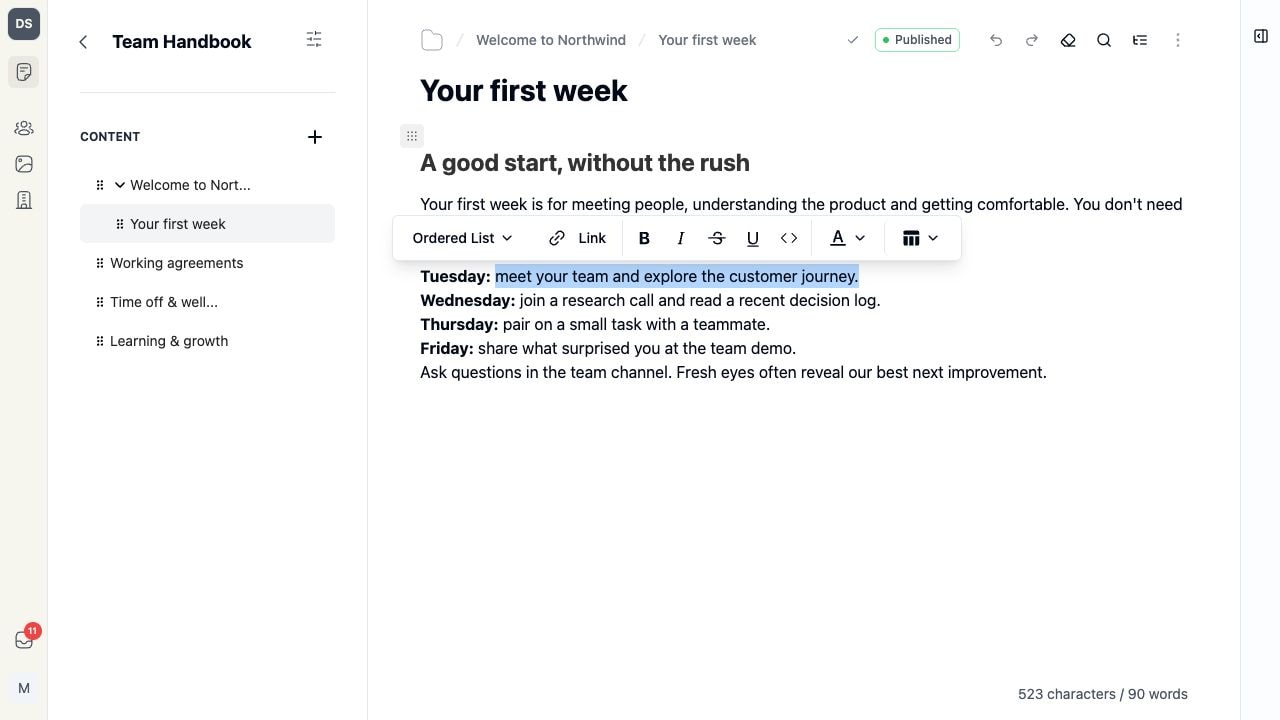
Screenshots show a fictional demo organization.
What you can do with Document Spaces
A clear home for every guide
Organize pages into spaces and drag them into a nested tree. Follow breadcrumbs, jump through the page outline and search documents when adding internal links.
An editor for useful documents
Add headings, checklists, collapsible sections, tables and highlighted code. Use slash commands, find and replace, and drag blocks into place.
Images from your shared library
Reuse or upload Media Library images, add alt text and resize their display in the page. YouTube embeds, text colors and highlights help explain the details.
Draft privately, publish deliberately
Autosave keeps edits in a draft. Publish pages in a public space when ready; later edits stay separate until you publish them. Conflicting saves preserve your local draft.
Pay once for Document Spaces
One purchase covers your whole organization. No subscription or per-seat fees.
Document Spaces
Lifetime access · One organization
$99one-time payment
Try it for 30 days first. No credit card.
What’s included
- Spaces for each team, project or topic
- Nested pages with drag-and-drop ordering and breadcrumbs
- Slash commands and movable content blocks
- Headings, lists, quotes, text styles and highlights
- Nested checklists and collapsible sections
- Tables with resizable columns and cell controls
- Code blocks with syntax highlighting
- Media Library images with alt text and display resizing
- YouTube video embeds
- Internal page links with document search
- Page outlines and find and replace
- Autosave with save status and concurrent-edit protection
- Separate drafts and published content for public spaces
- Workspace roles for editing and publishing permissions
Prices exclude tax, calculated at checkout in the app. Nothing is charged automatically. Every purchase includes a 60-day money-back guarantee.
Document Spaces FAQ
No. Document Spaces works on its own with your shared Team directory, workspace roles and Media Library. Each module has its own trial and lifetime purchase.
Private spaces are available to signed-in organization members with document permissions. Editing and publishing follow the roles you assign. There are no separate per-space member permissions. Published pages in a public space can also be read publicly.
Yes. Make a space public and publish selected pages through the public Documents API. Drafts stay separate from published content until you publish changes. A hosted public reader website is not currently included. Unpublish a page to withdraw its published content.
The page outline jumps to headings. Find and replace searches text within the current document. When adding an internal link, you can search your organization’s documents. Pages also stay organized in each space’s nested sidebar.
If someone has saved a newer version, your save stops and your local draft stays in the editor. You can copy your draft or explicitly reload the latest saved version. There is no automatic merge or real-time co-editing.
Yes. Select a ready JPEG, PNG or WebP image from your organization’s library, or upload one while editing. Add alt text and resize its display in the page. Images used in drafts or published pages are protected from library deletion.
You pay for a module once, and your organization keeps access to it for as long as we provide Tiny Team and that module, with no subscription and no renewal. Each purchase covers one module for one organization. Modules added later are sold separately, with their own price and trial. If we ever close a module, we email admins at least 90 days in advance and export your data on request.
Create your organization for free, open a module and choose Start 30-day trial. Each module has its own 30-day period, starting only when you activate it. Start with Document Spaces whenever you're ready. Each organization gets one trial per module.
No. Each module is a one-time payment for your whole organization. There are no monthly or yearly charges and no per-person fees. Prices exclude tax, which is calculated at checkout.